In today’s hyper-connected world, where every meeting, stream, and virtual hangout happens on camera, your webcam isn’t just an accessory—it’s your digital face to the world. And let’s be honest, nobody wants to look like a pixelated ghost or a jerky robot. That’s why diving into the world of Webcam 1080p 60fps is an absolute game-changer. It’s the sweet spot where stunning clarity meets buttery-smooth motion, ensuring you always present your best self, whether you’re closing a deal, dazzling your streaming audience, or just catching up with loved ones.
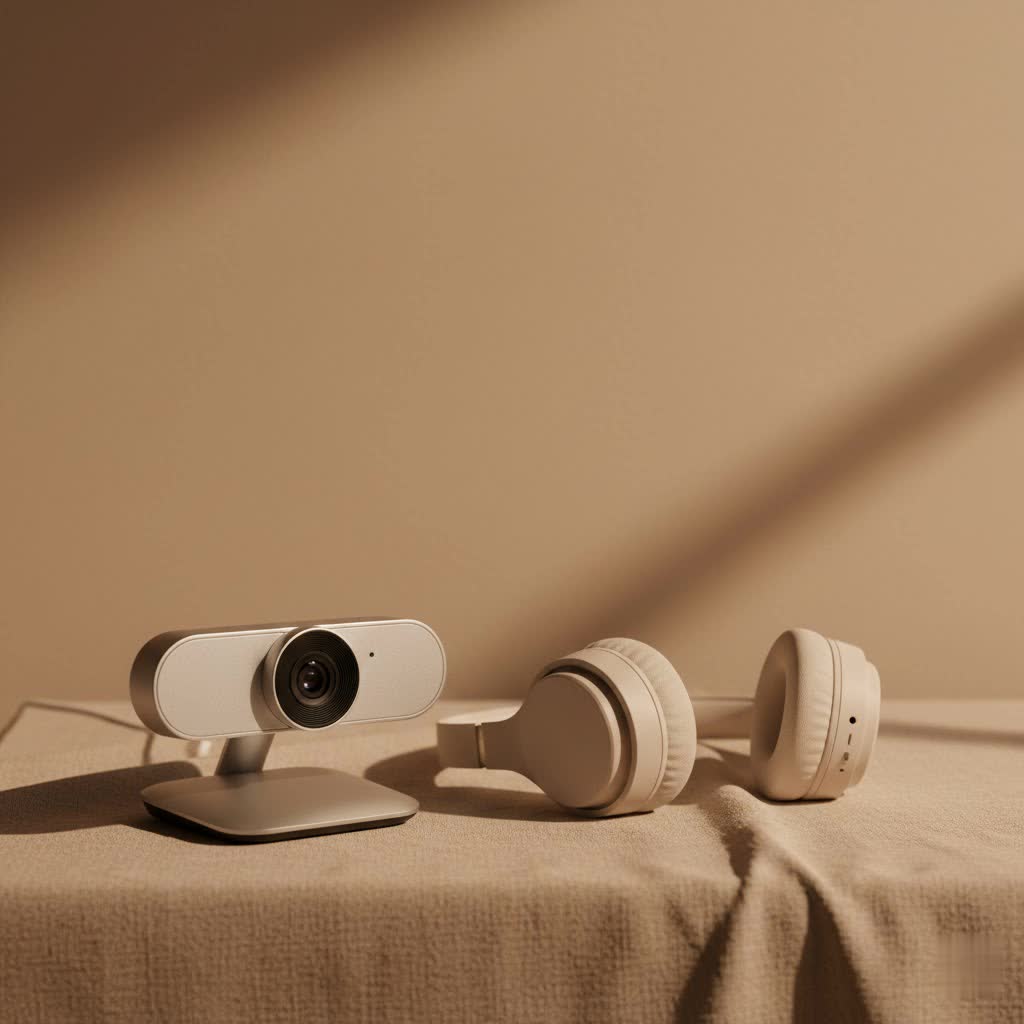
As your seasoned guide with over 15 years in the webcam and imaging world, and a content creator for Mundv.com, I’ve seen webcams evolve from grainy relics to sophisticated pieces of tech. This guide will cut through the jargon and show you exactly why a 1080p 60fps webcam is the smart upgrade you need, what features truly matter, and how to make the most of your investment.
Why 1080p 60fps is Your Video’s Best Friend
You might hear a lot about different resolutions and frame rates, but 1080p at 60 frames per second (fps) stands out for a reason. It’s the perfect blend of high-definition detail and fluid motion, without demanding excessive resources from your computer or internet connection.
The Smoothness Factor: 60fps Explained
Ever noticed how some videos look incredibly natural, almost like you’re looking through a window, while others appear choppy or blurry, especially with movement? That’s the frame rate at play.
- What’s the difference? A standard 30fps webcam captures 30 individual images per second. While this is fine for static scenes, any fast movement can lead to blurriness or a “jumpy” feel, making it less engaging. A 60fps webcam, on the other hand, captures a whopping 60 images per second—twice the visual information.
- Impact on dynamic content: This doubling of frames translates into remarkably fluid, lifelike motion. For fast-paced activities like gaming streams, product demonstrations, fitness sessions, or dynamic presentations, 60fps is crucial. It significantly reduces motion blur, making quick movements much clearer and more engaging for your viewers.
- Reduced perceived input lag: It’s not just about what looks good; it also impacts how connected your audience feels. Higher frame rates contribute to a reduction in perceived input lag, meaning there’s less delay between your real-world actions and what your viewers see. This can be a huge advantage in interactive scenarios.
|
Our Picks for the Best Webcam in 2026
As an Amazon Associate I earn from qualifying purchases.
|
||
| Num | Product | Action |
|---|---|---|
| 1 | EMEET C960 4K Webcam for PC, 4K UHD Sony Sensor, PDAF Auto Focus, Dual AI Noise-Cancelling Mics, Auto Light Correction, 73° FOV, Plug&Play Webcam w/Privacy Cover, Works w/Zoom/Teams/Skype/Google Meet |

|
| 2 | Kemeiv 1080P Webcam Microphone and Physical Privacy Cover Computer Webcam, Noise-canceling Microphone, Automatic Light Compensation, Ultra-Wide-Angle Lens for Meetings/Courses/Streaming/Zoom/YouTube |
|
| 3 | AOC 4k Webcam for PC with Microphone, Computer Camera with Noise Cancellation, Privacy Cover, 99° FOV, Plug & Play USB Webcam for Streaming, Conferencing, Zoom, Skype, Facetime, Laptop, PC, Skype |
|
| 4 | EMEET 1080P Webcam with Microphone, C960 Web Cam, 2 Mics, 90° FOV, USB Type-A & A-to-C Adapter, Plug&Play Computer Camera for Online Calling, Zoom/Teams/Facetime, Switch 2 Camera Support, 2025 Version |
|
| 5 | Lenovo HD 1080p Webcam (300 FHD)- Black w/ 95° Wide Angle, 360° Rotation Pan & Tilt, Dual Microphones, Privacy Shutter |
|
| 6 | NIVEOLI Webcam 1080P with Microphone & Privacy Cover for PC/Laptop, USB Computer Camera Plug & Play with Auto Light Correction for Video Calls, Live Streaming Gaming & Online Meetings |
|
| 7 | TRAUSI 1080P Webcam with Privacy Cover, Wide-Angle Lens, Noise Cancellation, Plug and Play USB Webcam for Laptop/PC/Desktop |
|
| 8 | 1080P Full HD Webcam with Noise-Canceling Mic, Auto Light Correction, Privacy Cover and Wide Angle Lens, Plug & Play USB Camera for Laptop/Desktop/PC/Mac, Compatible with Zoom/Skype/Teams/Streaming |
|
| 9 | Gohero Full HD 1080P Video Webcam, Noise Cancellation, Privacy Cover, Wide-Angle Lens, Auto Light Correction, Plug & Play USB Webcam for Laptop, Desktop, PC, Mac, Zoom, Skype Pro Series |
|
| 10 | Logitech Brio 101 Full HD 1080p Webcam for Meetings, Streaming, Desktop, Laptop, PC - Built-in Mic, Shutter, Works with Zoom, Microsoft Teams, Nintendo Switch 2’s New GameChat Mode, USB-A,-Black |
|
“The difference 60 frames per second makes for live motion is like night and day,” says Anya Sharma, a leading expert in video technology. “It’s the fluidity that truly captures and holds an audience’s attention, making for a much more professional and immersive experience.”
The Clarity You Deserve: 1080p Resolution
While frame rate handles the smoothness, resolution dictates the sharpness and detail of your image. 1080p, often referred to as Full HD, provides a rich level of detail that makes you look crisp and professional.
- What 1080p means: It signifies 1920 pixels horizontally by 1080 pixels vertically. This resolution is a fantastic starting point for any decent webcam, offering a clear and sharp picture that’s far superior to older 720p models.
- Why it often beats downscaled 4K for practical use: You might wonder about 4K webcams. While 4K offers even more pixels, for many applications, especially streaming, platforms often limit output to 1080p 60fps anyway. Downscaling 4K video to 1080p can sometimes provide a sharper image than native 1080p webcams due to superior sensor quality, but it also demands significantly more bandwidth and processing power from your system. For most users, 1080p 60fps delivers excellent quality without the additional strain.
The Sweet Spot: Balancing Quality and Performance
The combination of 1080p resolution and 60fps isn’t just about looking good; it’s about smart performance.
- Less demanding than 4K: Unlike 4K, 1080p 60fps doesn’t excessively strain your computer’s resources or require massive internet bandwidth for stable streaming. This means a smoother experience for you and your audience.
- Platform compatibility: Most major streaming platforms like Twitch currently limit streams to 1080p at 60fps. Even YouTube Live, which supports up to 4K, often sees viewers opting for 1080p to conserve their own bandwidth.
- Improved viewer retention: According to a 2023 StreamElements report, streams utilizing 1080p resolution at 60fps retained 30% more viewers on average compared to 720p streams. This clearly demonstrates the tangible impact of high-quality video on audience engagement.
What to Look for in a Top-Tier 1080p 60fps Webcam
Choosing the right webcam 1080p 60fps goes beyond just resolution and frame rate. Several other features contribute to a truly exceptional video experience.
Sensor and Lens Quality: The Heart of Your Image
The sensor and lens are to your webcam what eyes are to you—they capture the world.
- Larger sensor size and wider aperture: For great performance, especially in less-than-perfect lighting, look for webcams with a larger sensor size and a wider aperture (like f/1.8). Premium models often incorporate advanced sensors, such as Sony STARVIS, known for their excellent clarity and color reproduction even in dim settings.
- Fixed vs. autofocus lens: Autofocus keeps you sharp even when you move, with Phase Detection Auto Focus (PDAF) offering particularly swift performance. Some high-end streaming webcams use fixed-focus lenses, which prevent “focus hunting” during streams, ensuring consistent sharpness.
- HDR for balanced lighting: High Dynamic Range (HDR) can make a significant difference in balancing light, especially when dealing with tricky lighting conditions like a bright window behind you or uneven room illumination.
Audio Excellence: Don’t Just Be Seen, Be Heard
Clear audio is just as important as clear video. What good is a crisp image if your voice sounds muffled or distant?
- Importance of clear audio: Good sound quality is vital for professional communication and engaging content. Even the best video can be undermined by poor audio.
- Dual noise-canceling microphones: Many modern 1080p 60fps webcams come equipped with dual microphones featuring noise reduction technology. This can significantly improve audio quality by minimizing background distractions.
- When a dedicated mic is still better: While built-in mics have come a long way, for serious content creators and streamers, a dedicated microphone will almost always offer superior frequency response and a lower noise floor.
Software Control and Customization
The hardware is only part of the equation; robust software unlocks your webcam’s full potential.
- Fine-tuning exposure, white balance, FOV: Detailed software control allows you to fine-tune critical settings like exposure, white balance, and field of view (FOV). This means you can adjust your image to perfectly match your environment and personal preference, rather than relying on potentially inconsistent auto-settings.
- AI features: Artificial Intelligence (AI) has moved from gimmicks to genuinely useful tools. Features like automatic framing can keep you centered even if you shift around, and AI noise cancellation further enhances audio quality in noisy environments.
Connectivity and Compatibility
Ensure your webcam plays nicely with your existing setup.
- USB 3.0 for minimal latency: For optimal performance, especially with 1080p 60fps, a webcam with USB 3.0 connectivity is recommended for minimal latency and reliable data transfer.
- Platform support: Most modern webcams work seamlessly with PCs (Windows, macOS) and popular video conferencing/streaming software (Zoom, Google Meet, OBS Studio, Twitch). Some models also offer limited compatibility with gaming consoles like PlayStation and Xbox.
Top 1080p 60fps Webcams to Consider in 2025
The market is full of fantastic options for 1080p 60fps webcams, each with its own strengths. Here’s a quick look at some notable contenders often praised for their performance:
- Elgato Facecam MK.2: A favorite among streamers, known for its exceptional image quality due to its Sony sensor and detailed software control. It focuses on delivering uncompressed 1080p video capture, ideal for artifact-free streams.
- Obsbot Meet SE: This webcam often features smart AI framing, gesture control, and superb low-light performance, making it highly versatile for various content creators.
- Dell Pro Webcam (WB5023): Offers 1080p 60fps with HDR, 4x digital zoom, and AI auto-framing, presenting a solid plug-and-play experience.
- Logitech StreamCam: Designed with content creators in mind, it provides 1080p 60fps and the unique ability to record in both horizontal and vertical orientations, making it equally useful for platforms like TikTok and traditional video calls.
- Razer Kiyo Pro: Often highlighted for its adaptive light sensor and strong low-light performance, delivering excellent image quality for serious streamers.
- Elgato Facecam Neo: A more budget-friendly option that still delivers 1080p 60fps with an autofocus lens and a physical privacy shutter, providing a solid entry into high-frame-rate webcams.
Maximizing Your Webcam’s Performance: Expert Tips
Even the best webcam 1080p 60fps can fall short without the right setup and understanding. Here are a few expert tips to ensure you always look your best.
Lighting is Key
This is arguably the most crucial factor for superior video quality. No matter how expensive your webcam, poor lighting will always result in a grainy, unflattering image.
- Embrace natural light: Position yourself facing a window if possible. Natural light is soft, even, and flattering.
- Invest in a ring light: A simple, affordable ring light can dramatically improve your appearance by providing consistent, shadow-reducing illumination.
- Avoid backlighting: Don’t sit with a bright light source (like a window or harsh lamp) directly behind you, as this will silhouette you and make your face appear dark.
Software Settings are Your Friend
While automatic settings are convenient, taking a few minutes to tweak your webcam’s software can yield significant improvements.
- Don’t rely solely on auto: Auto-exposure and auto-white balance can sometimes struggle in changing light conditions, leading to inconsistent video.
- Manual control for optimal results: Experiment with manual exposure, white balance, and even focus settings within your webcam’s companion app. This gives you precise control over your image, ensuring it remains consistent and professional throughout your session.
Stable Connection
High-quality video requires a stable and sufficient internet connection.
- Ensure adequate bandwidth: While 1080p 60fps is less demanding than 4K, it still benefits from good upload speeds. If you’re streaming, check your platform’s recommended bandwidth.
- Wired connection: Whenever possible, use an Ethernet cable instead of Wi-Fi for a more stable and reliable connection.
Frequently Asked Questions (FAQ)
Is 1080p 60fps good enough for professional streaming?
Absolutely! For most professional streaming and content creation, 1080p 60fps is the perfect choice. It offers exceptionally smooth and clear video without the excessive bandwidth and processing demands of 4K, and most platforms primarily support this resolution and frame rate.
What’s the main difference between 30fps and 60fps?
The key difference lies in motion fluidity. A 60fps webcam captures twice as many individual images per second as a 30fps camera, resulting in significantly smoother, more natural-looking motion and a reduction in motion blur, especially during dynamic movements.
Do I need a 4K webcam if I can get 1080p 60fps?
Not necessarily. While 4K offers higher pixel count, 1080p 60fps is often considered the practical sweet spot for most users. Many streaming platforms don’t even support 4K 60fps, and the higher resolution demands significantly more computing power and bandwidth.
Can budget webcams offer 1080p 60fps?
Yes, the market now includes some very capable budget-friendly webcams that offer 1080p at 60fps. While they might not have all the advanced features of premium models (like top-tier low-light performance or extensive software suites), they can still deliver excellent quality for the price.
How important are built-in microphones?
Built-in microphones on 1080p 60fps webcams have improved significantly, with many now featuring dual noise-canceling technology. For casual video calls, they are often perfectly adequate. However, for professional streaming or recording, a dedicated external microphone will typically provide superior audio quality.
Will my webcam overheat during long streams?
Premium webcams like the Logitech Brio or Elgato Facecam are designed to sustain 8+ hours of streaming without thermal throttling or significant performance drops. However, budget webcams might sometimes throttle performance after a few hours of continuous use.
Conclusion
In the competitive digital landscape, your online presence hinges on how well you’re seen and heard. Investing in a webcam 1080p 60fps is one of the most impactful upgrades you can make to elevate your video quality, ensuring smooth, crisp, and engaging interactions every time. It’s the perfect balance of performance and practicality, setting you up for success whether you’re a streamer, a remote professional, or simply someone who values clear, lifelike communication.
By understanding the vital role of resolution and frame rate, identifying key features like sensor quality and powerful software, and implementing simple tips for optimal performance, you can confidently navigate the webcam market. Don’t settle for less; empower your digital self with the clarity and fluidity you deserve. Explore the best 1080p 60fps options today and transform your online experience—your audience (and your reputation!) will thank you for it. Mundv is here to help you make informed decisions, every step of the way.
