In today’s interconnected world, where virtual meetings, online learning, and digital content creation have become the norm, your digital presence is more important than ever. Gone are the days when a grainy, blurry webcam image was acceptable. If you’re still relying on an older, standard definition camera, you’re missing out on clarity, professionalism, and a truly engaging experience. That’s why understanding and choosing the right Hd Webcam is absolutely crucial for anyone looking to make a lasting impression online.
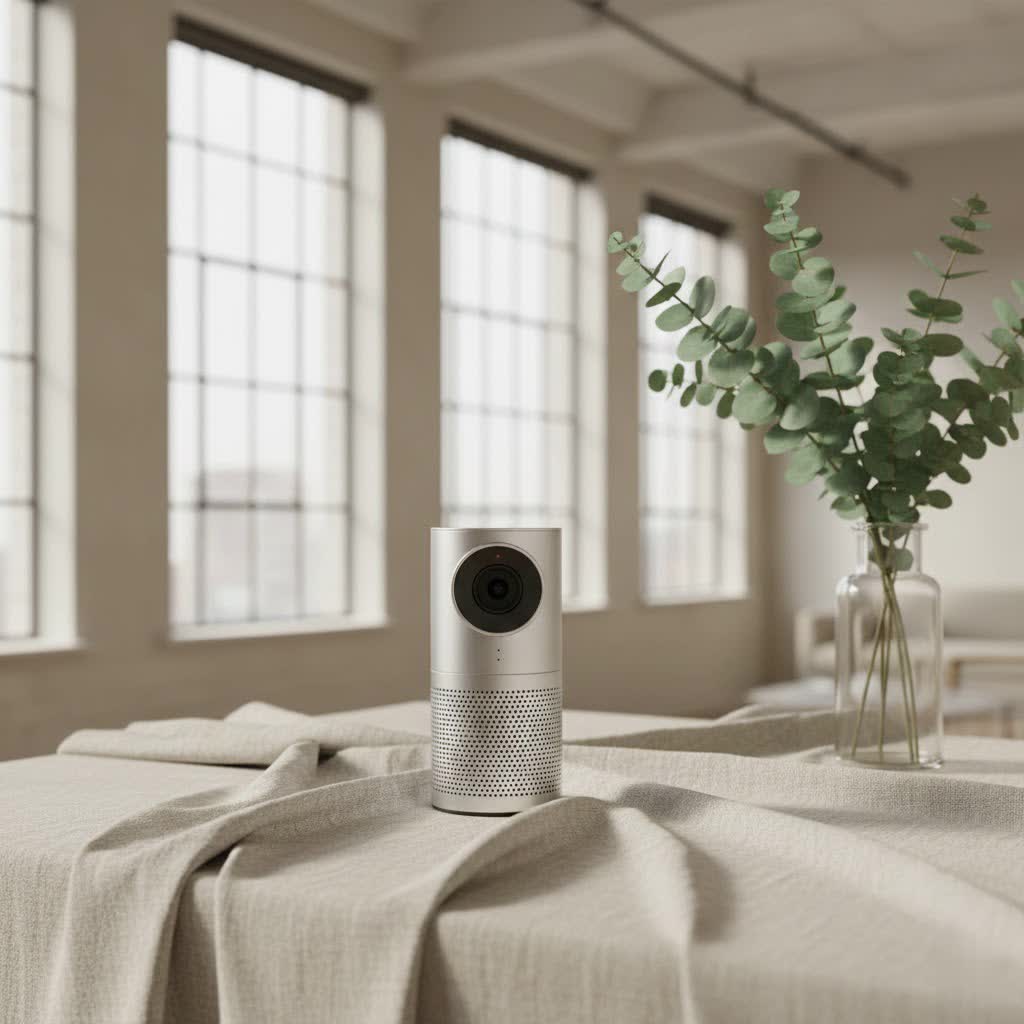
As a seasoned expert with over 15 years in webcam and recording technology and a content creator for Mundv, I’ve seen the evolution firsthand. The leap to High Definition wasn’t just about more pixels; it was about transforming how we connect, share, and create. Let’s unpack everything you need to know about HD webcams and how they can revolutionize your virtual world.
What Exactly is an HD Webcam? Unraveling the Pixels
At its core, an HD webcam is a digital video camera designed to capture and transmit high-definition video and audio. Unlike older, standard definition (SD) webcams that produced fuzzy images, HD models deliver significantly sharper, more detailed visuals. When we talk about “HD,” we’re primarily referring to the video resolution, which is measured in pixels.
Think of pixels as tiny building blocks that form your image. The more pixels, the more detail and clarity your video will have. Common HD resolutions for webcams include:
- 720p (HD): This offers a resolution of 1280×720 pixels. It’s a significant upgrade from SD and provides a clear, decent image for most casual video calls.
- 1080p (Full HD or FHD): Stepping up to 1920×1080 pixels, Full HD provides a much crisper and more detailed picture. This is often considered the sweet spot for professional video conferencing, streaming, and content creation, offering excellent quality without demanding excessive bandwidth.
- 4K (Ultra HD or UHD): With a resolution of 3840×2160 pixels, 4K webcams offer incredible detail and clarity. While professional streamers and content creators might leverage this for the highest quality output, many video conferencing platforms still limit resolution, so 4K might be overkill for everyday use but offers future-proofing.
HD webcams also typically feature a widescreen 16:9 aspect ratio, mirroring the format of modern displays and creating a more cinematic look compared to the older 4:3 ratio.
Why You Need an HD Webcam in Today’s Digital World
In a world increasingly driven by digital interaction, an HD webcam isn’t just a luxury; it’s a necessity. It’s about more than just seeing; it’s about being seen clearly, professionally, and authentically.
Elevate Your Professional Image
|
Our Picks for the Best Webcam in 2026
As an Amazon Associate I earn from qualifying purchases.
|
||
| Num | Product | Action |
|---|---|---|
| 1 | Logitech Brio 101 Full HD 1080p Webcam for Meetings, Streaming, Desktop, Laptop, PC - Built-in Mic, Shutter, Works with Zoom, Microsoft Teams, Nintendo Switch 2’s New GameChat Mode, USB-A,-Black |

|
| 2 | Kemeiv 1080P Webcam Microphone and Physical Privacy Cover Computer Webcam, Noise-canceling Microphone, Automatic Light Compensation, Ultra-Wide-Angle Lens for Meetings/Courses/Streaming/Zoom/YouTube |
|
| 3 | Lenovo HD 1080p Webcam (300 FHD)- Black w/ 95° Wide Angle, 360° Rotation Pan & Tilt, Dual Microphones, Privacy Shutter |
|
| 4 | Gohero Full HD 1080P Video Webcam, Noise Cancellation, Privacy Cover, Wide-Angle Lens, Auto Light Correction, Plug & Play USB Webcam for Laptop, Desktop, PC, Mac, Zoom, Skype Pro Series |
|
| 5 | NIVEOLI Webcam 1080P with Microphone & Privacy Cover for PC/Laptop, USB Computer Camera Plug & Play with Auto Light Correction for Video Calls, Live Streaming Gaming & Online Meetings |
|
| 6 | TRAUSI 1080P Webcam with Privacy Cover, Wide-Angle Lens, Noise Cancellation, Plug and Play USB Webcam for Laptop/PC/Desktop |
|
| 7 | EMEET 1080P Webcam with Microphone, C960 Web Cam, 2 Mics, 90° FOV, USB Type-A & A-to-C Adapter, Plug&Play Computer Camera for Online Calling, Zoom/Teams/Facetime, Switch 2 Camera Support, 2025 Version |
|
| 8 | EMEET C960 4K Webcam for PC, 4K UHD Sony Sensor, PDAF Auto Focus, Dual AI Noise-Cancelling Mics, Auto Light Correction, 73° FOV, Plug&Play Webcam w/Privacy Cover, Works w/Zoom/Teams/Skype/Google Meet |
|
| 9 | 1080P Full HD Webcam with Noise-Canceling Mic, Auto Light Correction, Privacy Cover and Wide Angle Lens, Plug & Play USB Camera for Laptop/Desktop/PC/Mac, Compatible with Zoom/Skype/Teams/Streaming |
|
| 10 | AOC 4k Webcam for PC with Microphone, Computer Camera with Noise Cancellation, Privacy Cover, 99° FOV, Plug & Play USB Webcam for Streaming, Conferencing, Zoom, Skype, Facetime, Laptop, PC, Skype |
|
For business professionals, a high-quality HD webcam ensures you appear sharp and credible in virtual meetings and presentations. Imagine pitching an idea to clients with a pixelated, out-of-focus image – it instantly undermines your professionalism. An HD webcam projects confidence and competence, allowing your ideas to shine without distraction.
Enhance Your Streaming and Content Creation
If you’re a streamer, vlogger, or content creator, an HD webcam is non-negotiable. Your audience expects crystal-clear visuals that keep them engaged. Whether you’re live-streaming gameplay, recording tutorials, or creating engaging social media content, an HD webcam provides the high-fidelity video needed to captivate your viewers and stand out in a crowded digital landscape.
Improve Personal Connections
Even for casual calls with family and friends, an HD webcam makes a difference. Seeing loved ones in vibrant, clear detail can make distant conversations feel much closer and more personal, enhancing the overall experience for everyone involved.
Essential Features to Look for in an HD Webcam
When you’re ready to invest in an HD webcam, it’s easy to get overwhelmed by the sheer number of options. Beyond just resolution, several key features contribute to a superior video experience. Understanding these will help you pick the perfect camera for your needs.
Resolution (720p, 1080p, 4K)
As discussed, resolution is paramount for image clarity.
- 720p is a good entry point for basic video calls.
- 1080p is the gold standard for most users, offering an excellent balance of quality and performance for professional use and streaming.
- 4K provides the ultimate detail, ideal for high-end content creation, though your setup and internet speed will need to match its demands.
Frame Rate (FPS)
The frame rate, measured in frames per second (fps), dictates the smoothness of your video.
- 30fps is standard and perfectly adequate for most video conferencing, providing a natural look.
- 60fps offers noticeably smoother, more fluid motion, which is highly beneficial for fast-paced content like gaming streams or for capturing intricate movements. It gives your video a more “live” and dynamic feel.
Autofocus
Have you ever been on a call where someone keeps going in and out of focus? It’s distracting! A good HD webcam with reliable autofocus ensures you remain sharp and clear, even if you shift in your seat or move closer to the camera. This feature dynamically adjusts the lens focus, so you don’t have to worry about manually tweaking it.
Low-Light Performance
Not everyone has a perfectly lit studio. Many of us work in dimly lit rooms or face variable lighting conditions. A webcam with strong low-light performance uses advanced sensors and image processing to deliver clear, well-exposed video even when ambient light is scarce. Look for features like “automatic light correction” or “HDR” (High Dynamic Range) for better results in challenging lighting.
Field of View (FoV)
The Field of View (FoV) determines how much of your surroundings the webcam captures.
- A narrower FoV (e.g., 60-70 degrees) is ideal for individual use, keeping the focus solely on you and minimizing distractions in your background.
- A wider FoV (e.g., 90 degrees or more) is excellent for group calls, presentations where you need to show more of your environment, or if you often move around your space. Some webcams offer adjustable FoV, which is a fantastic versatile feature.
Built-in Microphone
While dedicated external microphones offer superior audio quality, a good HD webcam often comes with a built-in microphone that’s perfectly suitable for most uses. Look for models with noise-canceling capabilities, which help filter out background sounds, ensuring your voice comes through clearly to your audience.
Privacy Features
In an age of heightened digital security, privacy features are increasingly important. Many modern webcams include a physical privacy shutter that slides over the lens, providing a foolproof way to ensure your camera isn’t accidentally or maliciously activated. Some even come with indicator lights that tell you when the camera is active.
Connectivity
Most webcams connect via USB. Ensure the webcam you choose is compatible with your computer’s USB ports (USB-A or the newer USB-C). Plug-and-play functionality is standard for most, meaning you can simply plug it in and start using it without complex driver installations.
Choosing the Right HD Webcam for Your Needs
Selecting the perfect HD webcam boils down to understanding your primary use case and balancing it with your budget.
- For Casual Video Calls and Remote Work: A 1080p webcam with good autofocus and a decent built-in microphone will likely be more than sufficient. You’ll get clear video and reliable audio without breaking the bank.
- For Professional Video Conferencing and Online Teaching: Prioritize a 1080p or even 4K webcam with excellent low-light correction, a wider FoV (if you move or present often), and potentially invest in an external microphone for the best audio. Features like auto-framing can also be a game-changer for dynamic presentations.
- For Streaming and Content Creation: This is where you might want to push the boundaries. Look for 1080p at 60fps or a 4K webcam, superior low-light performance, and manual controls for fine-tuning image settings. An external microphone is almost a given here to ensure broadcast-quality audio.
Remember, the “best” webcam isn’t necessarily the most expensive one, but the one that perfectly fits your specific needs.
Setting Up Your HD Webcam for Optimal Performance
Getting your HD webcam to deliver its best performance is often straightforward, but a few tweaks can make a significant difference.
- Physical Connection: Most webcams are plug-and-play. Simply connect the USB cable from your webcam to an available USB port on your computer.
- Driver Installation: While many modern webcams don’t require manual driver installation, some advanced models benefit from proprietary software provided by the manufacturer. Always check the manufacturer’s website for the latest drivers and utility software; these often unlock additional features and performance optimizations.
- Software Settings: In your video conferencing (e.g., Zoom, Microsoft Teams) or streaming software (e.g., OBS Studio), ensure you select your new HD webcam as the primary video input device. Take a moment to adjust settings like brightness, contrast, and white balance to suit your environment.
- Positioning: Place your webcam at eye level, or slightly above, to create a natural and engaging eye line. Avoid placing it too low, which can result in an unflattering up-nose angle.
Mundv’s Expert Tips for Maximizing Your HD Webcam Experience
As someone who lives and breathes webcam technology, I can tell you that even the best hardware needs a little help to shine. Here are my top tips for getting the most out of your HD webcam:
- Light is Your Best Friend: This is perhaps the single most important tip. Good lighting can make even a decent webcam look fantastic. Position yourself facing a window or use a dedicated ring light or softbox. Avoid backlighting (light coming from behind you), as it will silhouette you.
- Mind Your Background: A clean, uncluttered, and well-lit background makes a huge difference. If your background is distracting, consider using virtual backgrounds (if your platform supports it) or strategically placing a plain screen behind you.
- Audio Matters, Too: While your HD webcam likely has a good built-in mic, an external USB microphone or a headset can significantly improve your audio quality, making your voice sound richer and clearer. “Clear audio is just as vital as crisp video for effective communication,” advises Dr. Evelyn Reed, Lead Imaging Scientist at Mundv Labs.
- Keep Your Lens Clean: It sounds obvious, but a smudged lens can drastically reduce image quality. Gently wipe your webcam lens with a microfiber cloth regularly.
- Update Your Drivers and Software: Always ensure your webcam drivers and any associated software are up to date. Manufacturers frequently release updates that improve performance, add features, and fix bugs.
- Test Before You Go Live: Before an important meeting or stream, do a quick test call or recording to check your video, audio, and lighting. This simple step can save you from technical headaches during a live session.
Frequently Asked Questions About HD Webcams
Is 1080p good enough for a webcam?
Absolutely! 1080p is considered excellent quality for the vast majority of streaming, video conferencing, and content creation applications. It provides sharp, detailed images that look professional and engaging without demanding the intensive processing power or bandwidth of 4K.
What’s the difference between an HD webcam and an FHD webcam?
The term “HD webcam” often refers to a 720p resolution (1280×720 pixels). “FHD webcam” specifically means Full High Definition, which is 1080p (1920×1080 pixels). So, an FHD webcam is a higher resolution version of an HD webcam, offering greater clarity and detail.
Do all HD webcams have good microphones?
While most HD webcams come with built-in microphones, the quality can vary. Many mid-range and high-end HD webcams include noise-reducing microphones that perform well for general use. However, for truly broadcast-quality audio, especially in noisy environments or for professional content, an external microphone is almost always recommended.
How important is FPS (Frames Per Second) for a webcam?
FPS is crucial for video smoothness. For standard video calls, 30fps is sufficient and provides a natural look. However, if you’re streaming fast-paced content, gaming, or making dynamic presentations, 60fps delivers noticeably smoother and more fluid motion, enhancing the viewer’s experience significantly.
Can I use an HD webcam for live streaming?
Yes, HD webcams are commonly used for live streaming on platforms like YouTube, Twitch, and Facebook Live. They provide the necessary high-quality video for engaging streams, especially 1080p and 4K models. When paired with streaming software, they allow you to broadcast professional-looking content in real-time.
The Clear Choice: Embracing HD
In conclusion, an HD webcam is an indispensable tool in today’s digital landscape. Whether you’re aiming for professional video calls, captivating live streams, or seamless personal connections, upgrading to high definition will significantly enhance your experience. By understanding the key features—from resolution and frame rate to autofocus and low-light performance—you can confidently choose a webcam that meets your needs and elevates your digital presence.
Don’t let blurry visuals hold you back. Take control of your online image, invest in a quality HD webcam, and watch your virtual interactions transform. Your audience, colleagues, and loved ones will thank you for the crisp, clear view. Embrace the future of digital communication with Mundv by your side, and make every pixel count!
