The best webcams for streaming in 2025 offer superior resolution, frame rates, and low-light performance compared to built-in options, significantly enhancing visual quality for content creators. Top models include the Logitech MX Brio 4K for versatility, the Razer Kiyo Pro Ultra for unrivaled image quality, and the Elgato Facecam Pro for professional 4K 60fps streaming. Budget-friendly choices like the Logitech C922 Pro Stream and Anker PowerConf C200 also provide excellent value for clear, engaging broadcasts.
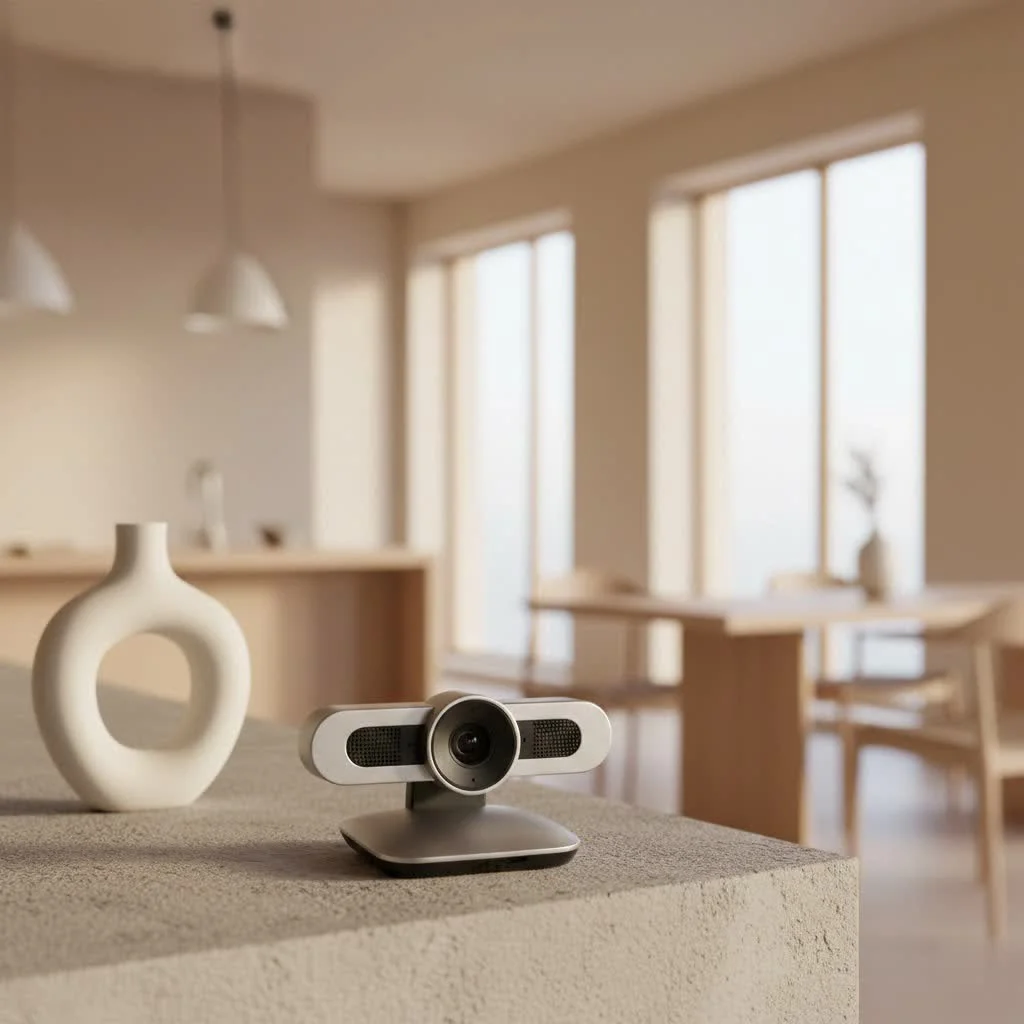
With over 15 years of experience in webcam technology, I’ve seen the market evolve dramatically. Today, there’s a perfect webcam for every streamer, from affordable options to professional powerhouses. This guide will help you navigate the essential features and top recommendations for 2025, ensuring your stream quality is spectacular. For expert webcam reviews reviews on this site.
Why Your Built-in Webcam Just Won’t Cut It for Streaming
Built-in webcams in laptops or monitors are typically sufficient for basic video calls but fall short for professional streaming. These integrated cameras often have poor resolution, inadequate low-light performance, and a general lack of clarity, making streams appear unprofessional. They lack the larger sensors, advanced lenses, and dedicated processing power found in external webcams designed specifically for content creation. Upgrading to a dedicated streaming webcam is the most impactful step to improve your visual quality and stand out.
Key Features to Look for in a Streaming Webcam
Choosing the best webcam for streaming involves understanding which features are most important for your specific streaming style and budget. Let’s break down the crucial aspects:
Resolution and Frame Rate: The Dynamic Duo
Resolution dictates clarity and detail. Most dedicated streaming webcams offer at least 1080p (Full HD), which is ideal for most streamers, providing a sharp image without excessive bandwidth. For the highest visual fidelity, 4K webcams are increasingly accessible, offering incredible detail if your internet connection can support it.
Frame rate (fps) determines video smoothness. For casual streams, 30fps is generally adequate. However, for gamers, dancers, or content with fast movement, a 60fps webcam is highly recommended for buttery-smooth motion, making your stream more engaging and visually appealing.
Autofocus and Low-Light Performance: Stay Sharp, Shine Bright
Accurate autofocus is crucial for maintaining sharpness, especially if you move or use props. Look for webcams with precise autofocus that quickly adjusts to keep you in focus, even with lighting changes.
Excellent low-light performance is vital if you don’t have a professional studio setup. Webcams with larger sensors or wider apertures capture more light, providing a brighter, clearer image in dimly lit rooms. Many top streaming webcams include advanced low-light correction technologies to ensure optimal appearance in various environments.
Field of View (FOV): Framing Your Perfect Shot
|
Our Picks for the Best Webcam in 2026
As an Amazon Associate I earn from qualifying purchases.
|
||
| Num | Product | Action |
|---|---|---|
| 1 | EMEET 1080P Webcam with Microphone, C960 Web Cam, 2 Mics, 90° FOV, USB Type-A & A-to-C Adapter, Plug&Play Computer Camera for Online Calling, Zoom/Teams/Facetime, Switch 2 Camera Support, 2025 Version |

|
| 2 | 1080P Full HD Webcam with Noise-Canceling Mic, Auto Light Correction, Privacy Cover and Wide Angle Lens, Plug & Play USB Camera for Laptop/Desktop/PC/Mac, Compatible with Zoom/Skype/Teams/Streaming |
|
| 3 | EMEET C960 4K Webcam for PC, 4K UHD Sony Sensor, PDAF Auto Focus, Dual AI Noise-Cancelling Mics, Auto Light Correction, 73° FOV, Plug&Play Webcam w/Privacy Cover, Works w/Zoom/Teams/Skype/Google Meet |
|
| 4 | AOC 4k Webcam for PC with Microphone, Computer Camera with Noise Cancellation, Privacy Cover, 99° FOV, Plug & Play USB Webcam for Streaming, Conferencing, Zoom, Skype, Facetime, Laptop, PC, Skype |
|
| 5 | Gohero Full HD 1080P Video Webcam, Noise Cancellation, Privacy Cover, Wide-Angle Lens, Auto Light Correction, Plug & Play USB Webcam for Laptop, Desktop, PC, Mac, Zoom, Skype Pro Series |
|
| 6 | Lenovo HD 1080p Webcam (300 FHD)- Black w/ 95° Wide Angle, 360° Rotation Pan & Tilt, Dual Microphones, Privacy Shutter |
|
| 7 | Kemeiv 1080P Webcam Microphone and Physical Privacy Cover Computer Webcam, Noise-canceling Microphone, Automatic Light Compensation, Ultra-Wide-Angle Lens for Meetings/Courses/Streaming/Zoom/YouTube |
|
| 8 | Logitech Brio 101 Full HD 1080p Webcam for Meetings, Streaming, Desktop, Laptop, PC - Built-in Mic, Shutter, Works with Zoom, Microsoft Teams, Nintendo Switch 2’s New GameChat Mode, USB-A,-Black |
|
| 9 | TRAUSI 1080P Webcam with Privacy Cover, Wide-Angle Lens, Noise Cancellation, Plug and Play USB Webcam for Laptop/PC/Desktop |
|
| 10 | NIVEOLI Webcam 1080P with Microphone & Privacy Cover for PC/Laptop, USB Computer Camera Plug & Play with Auto Light Correction for Video Calls, Live Streaming Gaming & Online Meetings |
|
The field of view determines how much background your webcam captures. A wider FOV (e.g., 90 degrees) is suitable for showcasing elaborate setups or including multiple people. A narrower FOV (e.g., 78 degrees) focuses tightly on you, ideal for an intimate feel or less-than-perfect backgrounds. Some advanced webcams offer adjustable FOV for flexibility.
Microphone Quality: Is Built-in Good Enough?
Many webcams include built-in microphones, which have improved but rarely match the quality of a dedicated external USB microphone or headset. For professional audio, an external microphone is almost always superior, especially in noisy environments. However, a webcam with a decent built-in mic can suffice for beginners, with some models featuring noise-canceling capabilities to reduce background distractions.
Software and Customization: Taking Control of Your Stream
The best streaming webcams come with robust software for fine-tuning your image, allowing adjustments to brightness, contrast, white balance, exposure, and applying filters. The ability to save different profiles for various streaming scenarios (e.g., gaming, talking head) saves time. Look for software that integrates seamlessly with platforms like Twitch, YouTube, and OBS Studio. Features like digital zoom, pan, and tilt add professional control.
Top Webcams for Streaming in 2025: Our Expert Picks
Based on extensive testing and user feedback, here are some of the best webcams for streaming that truly stand out in 2025:
Best Overall for Versatility: Logitech MX Brio 4K
The Logitech MX Brio 4K is a premium flagship offering stunning 4K resolution at 30fps or 1080p at 60fps. It features a large sensor, excellent dynamic range, and superior low-light sensitivity, ensuring sharp and vibrant visuals in any setting. Its companion software provides extensive customization, making it a versatile choice for streaming and professional video conferencing.
Unrivaled Image Quality: Razer Kiyo Pro Ultra
For DSLR-like quality without the complexity, the Razer Kiyo Pro Ultra is a top contender. This webcam boasts the largest sensor in its class (1/1.2 inches), producing incredibly crisp 4K video with exceptional detail and rich colors. Its low-light performance is outstanding, and AI-powered imaging further enhances visual clarity. It’s a significant investment but offers unparalleled image fidelity.
Best for 4K 60fps & Professionals: Elgato Facecam Pro
The Elgato Facecam Pro is ideal for streamers demanding the highest frame rate at 4K. It’s one of the few webcams capable of 4K at a silky-smooth 60fps, providing unparalleled motion clarity. Designed for professional content creators, it uses a high-quality Sony STARVIS sensor and offers advanced software controls. Note that it typically does not include a built-in microphone, as serious streamers usually use dedicated audio solutions.
Smart Tracking & AI Features: Obsbot Tiny 2 / Tiny SE
The Obsbot Tiny series features AI-powered intelligent tracking. The Obsbot Tiny 2, with its 4K video and mechanical pan-and-tilt, automatically follows your movements, keeping you perfectly centered. The more budget-friendly Obsbot Tiny SE offers similar mechanical benefits at 1080p. These are excellent for dynamic streamers, presenters, or anyone who moves frequently during broadcasts.
Best Value & Budget-Friendly: Logitech C922 Pro Stream / Anker PowerConf C200
You don’t need to spend a fortune for a great streaming webcam. The Logitech C922 Pro Stream is a classic, offering excellent 1080p at 30fps or 720p at 60fps, specifically tuned for streamers, with clear video, natural colors, and reliable autofocus. For an even more budget-conscious option, the Anker PowerConf C200 provides a sharp 2K picture, great low-light performance, and an integrated privacy shutter, all for under $60.
The Streamer’s Workhorse: Logitech StreamCam
The Logitech StreamCam is a popular choice for content creators needing versatility. It delivers sharp 1080p video at 60fps, ensuring smooth motion for any content. Its attractive design, multiple mounting options, and easy switching between landscape and portrait modes (ideal for social media) make it a robust and adaptable option for diverse streaming needs.
Can You Use a DSLR or Mirrorless Camera as a Webcam?
Yes, many professional streamers use DSLR or mirrorless cameras as webcams for ultimate image quality. This often requires a capture card, such as the Elgato Cam Link 4K, to connect the camera’s HDMI output to a computer. Manufacturers like Canon offer software (e.g., EOS Webcam Utility Pro) for direct USB connection. This setup provides unparalleled image depth, dynamic range, and low-light performance, though it involves higher cost and a steeper learning curve.
Pro Tips for Optimizing Your Webcam Stream
Even the best webcam for streaming benefits from setup optimization:
- Lighting is Key: Natural light from a window is ideal, but a good ring light or key light significantly improves image quality, reducing grain and enhancing vibrancy. Avoid backlighting.
- Clean Background: A cluttered background distracts viewers. Keep your streaming space tidy or use a green screen for virtual backgrounds.
- Stable Internet: High-quality video demands a stable and fast internet connection to prevent buffering and dropped frames.
- Audio Matters: Despite a great webcam, consider investing in a dedicated microphone for superior sound quality, as clear audio keeps viewers engaged.
“in live streaming, your webcam is your visual voice,” shares Alex Chen, Mundv’s Senior Gear Analyst. “Don’t just pick any camera; choose one that not only showcases your content but truly reflects your personality and dedication. A fantastic webcam isn’t just a piece of tech; it’s an investment in your brand and your audience’s experience.”
Frequently Asked Questions (FAQ)
What resolution is best for streaming?
For most streamers, 1080p (Full HD) at 30fps or 60fps offers the best balance of quality and performance. This resolution provides a crisp image without demanding excessive bandwidth. While 4K webcams are available for superior quality, many platforms may downscale your stream.
Do I need a 4K webcam for Twitch?
While 4K webcams offer incredible detail, platforms like Twitch primarily broadcast in 1080p. A 4K webcam might be overkill for Twitch unless you’re also recording in 4K for other platforms like YouTube. A high-quality 1080p 60fps webcam is often more than sufficient and more reliable for live broadcasting.
Are webcam microphones good enough?
For casual use, modern webcam microphones can be surprisingly good, especially those with noise-canceling features. However, for professional-level streaming, a dedicated external microphone (USB or XLR) will almost always provide superior audio quality, richer tone, and better background noise rejection.
What’s the difference between 30fps and 60fps?
FPS (frames per second) indicates how many still images your webcam captures and displays each second. 30fps provides standard, smooth video, while 60fps doubles that, resulting in significantly smoother motion. This is crucial for fast-paced content like gaming, action-oriented streams, or if you move dynamically in front of the camera.
How important is low-light performance?
Low-light performance is very important if you stream in rooms that aren’t perfectly lit. A webcam with good low-light capabilities will produce a brighter, clearer, and less grainy image, even with minimal lighting, ensuring your viewers can always see you clearly.
Conclusion
Choosing the best webcam for streaming can dramatically enhance your online presence, transforming your broadcasts from good to great. By focusing on essential features like resolution, frame rate, autofocus, and low-light performance, and considering our top picks for 2025, you’re well on your way to a professional-looking stream. Whether you opt for a versatile 4K workhorse, a smart AI-tracking camera, or a reliable budget-friendly option, that the right webcam is a powerful tool in your content creation arsenal.
So, go ahead, explore these fantastic options, and pick the one that aligns perfectly with your streaming ambitions. improve your visual game, captivate your audience, and build your community with confidence. Your viewers—and your content—will thank you for it!
Frequently Asked Questions
What resolution is best for streaming?
For most streamers, 1080p (Full HD) at 30fps or 60fps offers the best balance of quality and performance. This resolution provides a crisp image without demanding excessive bandwidth. While 4K webcams are available for superior quality, many platforms may downscale your stream.
Do I need a 4K webcam for Twitch?
While 4K webcams offer incredible detail, platforms like Twitch primarily broadcast in 1080p. A 4K webcam might be overkill for Twitch unless you're also recording in 4K for other platforms like YouTube. A high-quality 1080p 60fps webcam is often more than sufficient and more reliable for live broadcasting.
Are webcam microphones good enough for professional streaming?
For casual use, modern webcam microphones can be surprisingly good, especially those with noise-canceling features. However, for professional-level streaming, a dedicated external microphone (USB or XLR) will almost always provide superior audio quality, richer tone, and better background noise rejection.
What is the difference between 30fps and 60fps in webcams?
FPS (frames per second) indicates how many still images your webcam captures and displays each second. 30fps provides standard, smooth video, while 60fps doubles that, resulting in significantly smoother motion. This is crucial for fast-paced content like gaming, action-oriented streams, or if you move dynamically in front of the camera.
How important is low-light performance for a streaming webcam?
Low-light performance is very important if you stream in rooms that aren't perfectly lit. A webcam with good low-light capabilities will produce a brighter, clearer, and less grainy image, even with minimal lighting, ensuring your viewers can always see you clearly.
Optimize Your Webcam Stream for Best Quality
Follow these steps to enhance your webcam stream, ensuring professional visual and audio quality for your audience.
Natural light from a window is ideal for streaming. If natural light isn't available, invest in a good ring light or key light to dramatically improve image quality, reduce grain, and make you look more vibrant. Always avoid backlighting, which can silhouette you.
A cluttered background can be highly distracting for viewers. Keep your streaming space tidy and organized. Alternatively, use a green screen to implement virtual backgrounds, providing a professional and customizable visual environment.
High-quality video streaming requires a stable and fast internet connection. A poor connection can lead to buffering, dropped frames, and a frustrating experience for your audience. Consider a wired Ethernet connection for maximum reliability.
Even with an excellent webcam, superior sound quality often requires a dedicated microphone. Clear audio keeps viewers engaged and enhances the overall professionalism of your stream. Consider a USB or XLR microphone for the best results.
Get our weekly buyer guide
Practical specs, not advice. Unsubscribe anytime.
I picked up the Anker PowerConf C200 because I needed something budget-friendly for my casual gaming streams. For the price, it’s pretty good and definitely better than my laptop’s built-in camera. My only complaint is that the low-light performance isn’t as great as I hoped; I still need a lot of extra lighting to look decent. It’s a solid starter though.
I finally upgraded from my old webcam to the Elgato Facecam Pro, and wow, what a difference! The 4K 60fps is incredibly smooth, and my viewers have definitely noticed the improved clarity. It was a bit of an investment, but for serious streaming, it’s totally worth it. Setup was a breeze too, which is always a plus.
I was on the fence about spending more, but the Razer Kiyo Pro Ultra lives up to the hype for image quality. My streams look incredibly professional now, and the details are just amazing. It really makes a difference when you’re trying to stand out. Highly recommend it if you’re serious about your content.
The Logitech MX Brio 4K has been a game-changer for my hybrid work setup and occasional streaming. The versatility is fantastic, and the image quality is super crisp. I appreciate how well it handles different lighting conditions without much fuss. It’s a bit pricier than some other options, but the build quality feels premium and reliable.