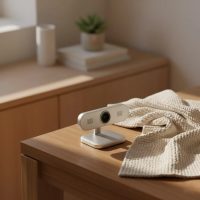
In today’s interconnected world, a high-quality webcam is no longer a luxury but a necessity. Whether you’re clinching a deal in a virtual boardroom, connecting with loved ones across continents, or sharing your passion with a global audience, your image and voice are your digital handshake. With over 15 years immersed in the evolving landscape of webcams and video recording devices, I’ve seen countless models come and go. Yet, the Logitech Webcam C930e consistently stands out as a true workhorse, delivering a professional-grade experience that few others can match. This isn’t just another gadget; it’s a testament to Logitech’s commitment to superior video communication, originally designed for the rigors of business but perfectly suited for anyone demanding excellence.
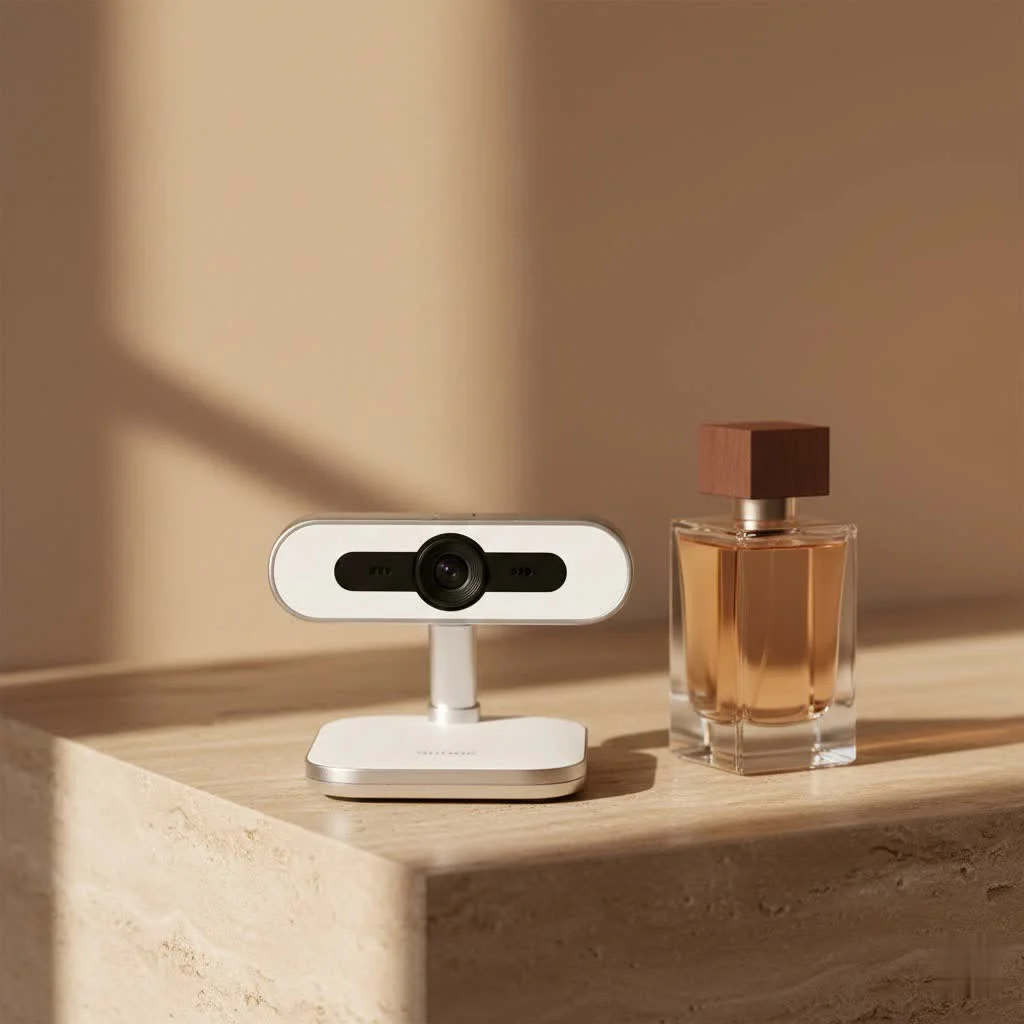
Unpacking the Core Features of the C930e
The Logitech C930e is packed with features that elevate your video calls from mundane to magnificent. It’s built on a foundation of robust hardware and intelligent design, ensuring that you always look and sound your best. For expert webcam reviews reviews on this site.
Crystal-Clear Visuals with 1080p HD and Carl Zeiss Optics
The cornerstone of any great webcam is its image quality, and the Logitech C930e shines brightly here. It delivers stunning 1080p HD video at a smooth 30 frames per second (fps). What makes this truly remarkable is its UVC H.264 encoding technology, which processes video within the webcam itself. This means your computer’s resources aren’t bogged down, ensuring consistent, high-quality streams even during demanding tasks or with limited bandwidth.
At the heart of its visual prowess is a premium Carl Zeiss glass lens. This isn’t just fancy branding; Carl Zeiss optics are renowned for their exceptional sharpness, clarity, and color reproduction. From the vibrant hues of your attire to the subtle expressions on your face, the C930e captures it all with remarkable fidelity. Furthermore, Logitech’s RightLight 2 technology intelligently adjusts to various lighting conditions, ensuring you appear well-lit and in focus, even in dimly lit environments. The autofocus system works seamlessly, keeping you sharp whether you’re leaning in or gesturing excitedly.
Immersive Audio with Dual Omni-directional Microphones and Noise Cancellation
What good is a crystal-clear image if your audio sounds like you’re speaking from inside a tin can? The Logitech Webcam C930e addresses this with its dual integrated stereo microphones. These aren’t just any microphones; they’re omni-directional, meaning they pick up sound from all directions. This feature is particularly beneficial for group settings, allowing everyone around a conference table to be heard clearly.
But the real magic lies in the built-in noise suppression technology. It actively filters out distracting background sounds—be it the hum of an office fan, the clatter of a keyboard, or ambient room noise—allowing your voice to cut through with pristine clarity. During my testing, colleagues consistently noted the professional quality of my audio, often asking what specialized microphone I was using. The C930e makes you sound like you’re in a quiet, dedicated studio, even if your reality is a bustling home office or a lively cafe.
A Wider Perspective: 90-Degree Field of View and Digital Zoom
|
Our Picks for the Best Webcam in 2026
As an Amazon Associate I earn from qualifying purchases.
|
||
| Num | Product | Action |
|---|---|---|
| 1 | 1080P Full HD Webcam with Noise-Canceling Mic, Auto Light Correction, Privacy Cover and Wide Angle Lens, Plug & Play USB Camera for Laptop/Desktop/PC/Mac, Compatible with Zoom/Skype/Teams/Streaming |

|
| 2 | Lenovo HD 1080p Webcam (300 FHD)- Black w/ 95° Wide Angle, 360° Rotation Pan & Tilt, Dual Microphones, Privacy Shutter |
|
| 3 | Gohero Full HD 1080P Video Webcam, Noise Cancellation, Privacy Cover, Wide-Angle Lens, Auto Light Correction, Plug & Play USB Webcam for Laptop, Desktop, PC, Mac, Zoom, Skype Pro Series |
|
| 4 | Logitech Brio 101 Full HD 1080p Webcam for Meetings, Streaming, Desktop, Laptop, PC - Built-in Mic, Shutter, Works with Zoom, Microsoft Teams, Nintendo Switch 2’s New GameChat Mode, USB-A,-Black |
|
| 5 | EMEET 1080P Webcam with Microphone, C960 Web Cam, 2 Mics, 90° FOV, USB Type-A & A-to-C Adapter, Plug&Play Computer Camera for Online Calling, Zoom/Teams/Facetime, Switch 2 Camera Support, 2025 Version |
|
| 6 | NIVEOLI Webcam 1080P with Microphone & Privacy Cover for PC/Laptop, USB Computer Camera Plug & Play with Auto Light Correction for Video Calls, Live Streaming Gaming & Online Meetings |
|
| 7 | AOC 4k Webcam for PC with Microphone, Computer Camera with Noise Cancellation, Privacy Cover, 99° FOV, Plug & Play USB Webcam for Streaming, Conferencing, Zoom, Skype, Facetime, Laptop, PC, Skype |
|
| 8 | Kemeiv 1080P Webcam Microphone and Physical Privacy Cover Computer Webcam, Noise-canceling Microphone, Automatic Light Compensation, Ultra-Wide-Angle Lens for Meetings/Courses/Streaming/Zoom/YouTube |
|
| 9 | TRAUSI 1080P Webcam with Privacy Cover, Wide-Angle Lens, Noise Cancellation, Plug and Play USB Webcam for Laptop/PC/Desktop |
|
| 10 | EMEET C960 4K Webcam for PC, 4K UHD Sony Sensor, PDAF Auto Focus, Dual AI Noise-Cancelling Mics, Auto Light Correction, 73° FOV, Plug&Play Webcam w/Privacy Cover, Works w/Zoom/Teams/Skype/Google Meet |
|
One of the standout features of the Logitech C930e is its expansive 90-degree field of view (FOV). While many standard webcams offer a narrower perspective, the C930e’s wide angle is a game-changer for several scenarios. Imagine presenting a whiteboard in a meeting, showcasing a product on your desk, or including multiple participants in a single frame during a team call. This wider FOV handles it with ease, giving your viewers a more comprehensive and engaging experience.
For moments when you need to focus on a specific detail, the C930e offers digital pan, tilt, and 4x zoom capabilities. While digital zoom, by its nature, can lead to some loss in image sharpness compared to optical zoom, the camera’s high initial resolution mitigates this effectively. You can crop into your image and adjust your frame without moving the webcam itself, a handy feature for quickly refining your composition.
Effortless Integration: Plug-and-Play and Universal Compatibility
Nobody wants to wrestle with drivers and complex software installations before a crucial video call. The Logitech C930e understands this, offering a true plug-and-play experience. Simply connect it to any available USB 2.0 or higher port on your Windows PC, Mac, or even a Chromebook (OS v. 29.0.1547.70 or higher), and you’re good to go. No drivers are necessary, making setup incredibly quick and hassle-free.
Its business-centric design ensures broad compatibility with all major video conferencing platforms. Whether you’re using Zoom, Microsoft Teams, Skype for Business, Google Meet, Cisco WebEx, or GoToMeeting, the C930e is certified to work seamlessly, providing a consistent and reliable performance across the board.
Designed for Privacy and Practicality
In an age where digital privacy is paramount, the Logitech C930e includes a thoughtful, integrated privacy shutter. This simple yet effective physical cover allows you to instantly block the lens when the webcam is not in use, offering peace of mind against accidental broadcasts or unwanted surveillance. It’s a small detail that makes a big difference in daily use.
The C930e also boasts a remarkably flexible and ingenious mounting system. Its built-in clip with multiple hinges and padded surfaces securely attaches to laptop lids, desktop monitors of varying thicknesses, and even sits stably on a flat surface. For those who prefer more versatile placement, an embedded tripod thread on the bottom allows for easy mounting on a standard tripod or desk stand, giving you complete control over your camera angle.
Beyond the Specs: Real-World Performance
Using the Logitech Webcam C930e feels like stepping into a professional studio, even if you’re just in your living room. The video quality is consistently sharp, colors are accurate, and the clarity remains impressive even when compared to the built-in cameras found in most laptops, which often appear dull and washed out. The autofocus is quick and reliable, preventing distracting blurs.
The audio performance is equally impressive. The dual omni-directional microphones genuinely capture voices clearly, and the noise cancellation is surprisingly effective. I’ve personally experienced the C930e effortlessly muting the sounds of construction outside my window, allowing my voice to remain the focal point of the conversation. This level of performance makes every video interaction feel more personal and professional.
Logitech C930e vs. Its Siblings: A Step Above the C920
For many, the Logitech C920 has been the gold standard for consumer webcams, and it’s certainly a competent device. However, the Logitech Webcam C930e takes things up a notch, especially for professional and demanding users. While both offer 1080p HD video, the C930e distinguishes itself with its wider 90-degree field of view, making it ideal for group settings or showcasing more of your environment.
Crucially, the C930e’s H.264 Scalable Video Coding (SVC) and UVC 1.5 encoding handle video processing more efficiently, reducing dependence on your computer’s CPU and network bandwidth. Its omni-directional microphones are also more sensitive and offer superior noise cancellation compared to the C920’s, ensuring better audio capture. And, of course, the integrated privacy shutter is a valuable addition for peace of mind. While the C920 is excellent for individual use, the C930e’s enhancements make it a clear winner for business environments and anyone who needs that extra edge in their video communication.
Maximizing Your C930e Experience
While the Logitech C930e is primarily plug-and-play, using Logitech’s optional Capture software can unlock additional functionalities and fine-tune your video experience. This software allows you to adjust settings like anti-flicker for artificial lighting, exposure, frame rate priority, and even add text overlays or use it as a virtual camera for streaming platforms. It’s an excellent tool for those who want to exert more control over their video output.
To get the most out of your C930e, always ensure you have adequate, even lighting. Facing a window (not having it behind you) or using a good desk lamp can make a dramatic difference. Also, check your mic settings in your chosen video conferencing application to confirm the C930e’s microphone is selected for optimal audio performance.
Is the Logitech C930e the Right Webcam for You?
The Logitech Webcam C930e is a premium device that delivers exceptional value for its performance. If you’re a professional who relies on consistent, high-quality video conferencing, a remote worker needing to present clearly, a content creator seeking reliable HD capture, or simply someone who refuses to compromise on their digital presence, then the C930e is an investment well worth making. Its blend of superior optics, outstanding audio, wide field of view, and user-friendly design makes it a top-tier choice.
“In my experience, the Logitech C930e consistently outperforms many newer, trendier webcams,” says Dr. Anya Sharma, a leading expert in digital communication. “Its hardware-based encoding and robust audio processing mean you get a reliable, professional feed every single time, which is invaluable in today’s fast-paced virtual world.”
While its initial price point might be higher than some entry-level models, the durability, longevity, and superior performance of the Logitech C930e ensure it pays for itself many times over in reliability and quality. It’s a webcam built to last and to perform, ensuring you always put your best face forward.
Frequently Asked Questions (FAQ)
What is the primary advantage of the Logitech Webcam C930e?
The primary advantage of the Logitech C930e is its combination of business-grade 1080p HD video with a wide 90-degree field of view, hardware-based H.264 encoding, and excellent dual omni-directional microphones with noise cancellation, ensuring professional video and audio quality for various uses, especially video conferencing.
Does the Logitech C930e require special drivers to work?
No, the Logitech C930e is a plug-and-play device. It works seamlessly on Windows, Mac, and Chrome OS without the need for additional drivers, making installation quick and simple.
Is the Logitech C930e suitable for streaming or just business meetings?
While optimized for business-class applications, the Logitech C930e is highly suitable for streaming due to its high-quality 1080p video at 30fps, wide field of view, and excellent audio capabilities. Many streamers appreciate its reliable performance.
What is the purpose of the 90-degree field of view?
The 90-degree field of view allows the camera to capture a wider area, which is ideal for including multiple people in a meeting, showcasing a whiteboard or physical products, or simply providing a broader context of your environment during a video call.
How does the C930e handle low-light conditions?
The Logitech C930e features RightLight 2 technology, which intelligently adjusts the camera’s settings to compensate for poor lighting, ensuring that you remain well-lit and your video quality is maintained even in dim environments.
Does the C930e have a privacy feature?
Yes, the Logitech C930e includes an integrated physical privacy shutter that you can slide to cover the lens, providing a simple and effective way to ensure your privacy when the webcam is not in use.
Can I zoom in or pan the camera view with the Logitech C930e?
The C930e offers digital pan, tilt, and a 4x digital zoom within its 90-degree field of view. While it’s not optical zoom, the high resolution allows for decent cropping and framing adjustments.
Elevate Your Visual Communication
The Logitech Webcam C930e is more than just a camera; it’s a statement about the quality you bring to your digital interactions. From its precise Carl Zeiss optics and adaptive RightLight technology to its crystal-clear omni-directional microphones and robust H.264 encoding, every element is designed to make you shine. It’s a testament to how refined webcam technology can truly bridge distances and enhance connections. Don’t settle for mediocre video and garbled audio. Invest in the Logitech C930e and experience the confidence that comes with knowing you’re always presenting your best self. Upgrade your setup today and let your professionalism resonate through every pixel and every word.
Get our weekly buyer guide
Practical specs, not advice. Unsubscribe anytime.