The Microsoft LifeCam Studio is the best Microsoft webcam for streaming, offering 1080p HD video and reliable performance suitable for various streaming needs. While Microsoft is not as dominant in the webcam market as some other brands, it still provides solid options for streamers looking for dependable image quality and straightforward functionality. This guide explores the top Microsoft webcams, detailing their features and how they cater to the specific demands of live content creation.
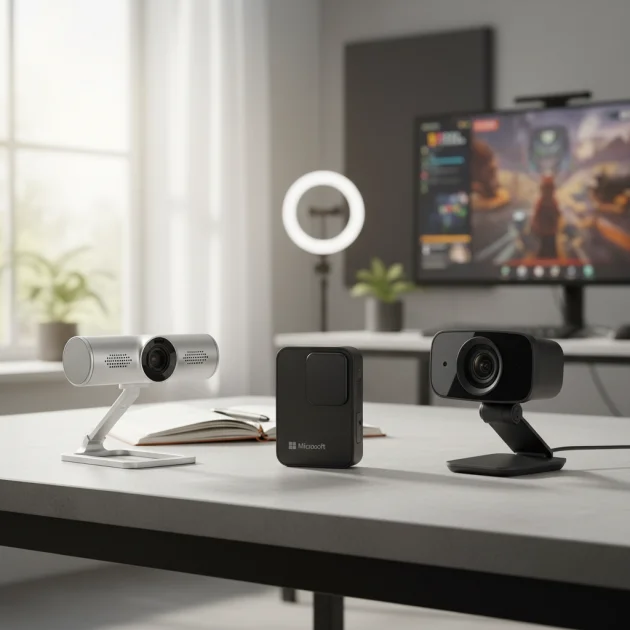
Quick comparison
| Model | Resolution | Field of View | Autofocus | Microphone |
|---|---|---|---|---|
| Microsoft LifeCam Studio | 1080p | 75 degrees | Yes | Built-in |
| Microsoft LifeCam Cinema | 720p | 73 degrees | Yes | Built-in |
| Microsoft LifeCam HD-3000 | 720p | 68 degrees | No | Built-in |
What Streaming Needs from a Webcam
Streaming demands specific features from a webcam to ensure a professional and engaging broadcast. High resolution is paramount, with 1080p at 30 frames per second (fps) being a common baseline for clear, smooth video. Many streamers now aim for 1080p at 60fps or even 4K for superior visual fidelity. A wide field of view (FoV) is beneficial for capturing more of the environment or multiple subjects, though some streamers prefer a narrower FoV to focus solely on themselves. Reliable autofocus is crucial to keep the subject sharp, even with movement, preventing blurry footage that can distract viewers. Low-light performance is another key factor, as many streamers operate in varied lighting conditions. A webcam that can maintain image quality in dim environments without excessive noise or grain is highly valued. Finally, a decent built-in microphone can serve as a backup, though dedicated microphones are generally preferred for optimal audio quality in streaming setups.
Detailed Reviews
Microsoft LifeCam Studio
The Microsoft LifeCam Studio stands out as a robust option for streamers. It delivers full 1080p HD video recording and 720p HD video calling, which translates well to streaming platforms. Its precision glass element lens ensures sharp images, while TrueColor Technology automatically adjusts exposure for bright and colorful video in almost any lighting condition. The 75-degree wide-angle lens is suitable for capturing a good portion of your background or for group streams. With its autofocus feature, the LifeCam Studio maintains clarity even if you move around during your broadcast. The built-in high-fidelity microphone offers clear audio, making it a reliable choice for streamers who might not have a dedicated external mic immediately available. Its durable aluminum body also suggests a premium build quality, ensuring longevity for consistent use.
Microsoft LifeCam Cinema
The Microsoft LifeCam Cinema offers a solid 720p HD resolution, which is still acceptable for many streaming applications, especially for those starting out or with bandwidth limitations. It features a glass lens and ClearFrame Technology, designed to deliver smooth, detailed video even in low-light conditions. The autofocus system works effectively to keep you in sharp focus, a critical feature for dynamic streaming content. Its 73-degree wide-angle lens provides a decent field of view, allowing for flexibility in framing your shots. The built-in noise-canceling microphone helps to reduce background distractions, ensuring your voice comes through clearly to your audience. While not 1080p, the LifeCam Cinema provides a cost-effective entry point into streaming with Microsoft’s reliable hardware and software integration.
Microsoft LifeCam HD-3000
The Microsoft LifeCam HD-3000 is an entry-level HD webcam that provides 720p video at 30 frames per second, making it a budget-friendly option for new streamers. While it lacks autofocus, its fixed focus lens is optimized for a typical desktop distance, ensuring reasonable clarity for a single user sitting in front of the camera. TrueColor Technology is included, which helps to deliver bright and colorful video, adapting to various lighting environments. The 68-degree field of view is narrower than its more expensive counterparts, which can be beneficial for streamers who want to maintain a tight focus on themselves without much background distraction. It also includes a built-in noise-reducing microphone, which is adequate for basic streaming needs. The LifeCam HD-3000 is a straightforward, plug-and-play device, ideal for those seeking simplicity and affordability.
Routine Fit
Microsoft webcams, particularly the LifeCam Studio, fit seamlessly into various streaming routines due to their plug-and-play nature and robust feature sets. For casual streamers, the ease of setup means less time troubleshooting and more time creating content. Professional streamers can appreciate the consistent video quality and reliable autofocus, which are essential for maintaining a polished broadcast. These webcams are particularly well-suited for educational streams, gaming commentary, or virtual meetings that require a clear visual presence. Their compatibility with Windows operating systems ensures smooth integration with popular streaming software like OBS Studio and Streamlabs Desktop. The built-in microphones, while not studio-grade, offer a convenient backup or primary audio solution for those without dedicated setups, making them versatile tools for diverse streaming environments.
Verdict
For streamers seeking a reliable and high-quality option from Microsoft, the LifeCam Studio stands out as the best choice. Its 1080p resolution, effective autofocus, and TrueColor Technology provide a strong foundation for engaging broadcasts. While Microsoft’s webcam lineup is not as extensive as some competitors, the LifeCam Studio offers a compelling blend of features and performance for its price point. For those on a tighter budget, the LifeCam Cinema and HD-3000 still offer dependable performance, proving that Microsoft continues to provide viable solutions for various streaming needs, ensuring clear visuals and straightforward integration into any streaming setup.
Frequently Asked Questions
What resolution is best for streaming with a Microsoft webcam?
For most streaming purposes, 1080p resolution at 30 frames per second (fps) is generally considered the best balance of quality and performance. The Microsoft LifeCam Studio offers this resolution, providing clear and detailed video suitable for platforms like Twitch and YouTube. While 720p can be acceptable for beginners, 1080p delivers a more professional visual experience.
Do Microsoft webcams have good low-light performance for streaming?
Microsoft webcams, especially the LifeCam Studio and LifeCam Cinema, incorporate technologies like TrueColor and ClearFrame to enhance low-light performance. These features automatically adjust exposure and color to produce bright and vibrant video even in dimly lit environments. For optimal results, streamers should always aim to use adequate external lighting.
Are Microsoft webcams compatible with streaming software like OBS Studio?
Yes, Microsoft webcams are generally compatible with popular streaming software such as OBS Studio, Streamlabs Desktop, and XSplit. They are designed to be plug-and-play devices on Windows operating systems, meaning they are recognized automatically by most applications. You can easily select your Microsoft webcam as a video source within your preferred streaming software.
Do Microsoft webcams include built-in microphones suitable for streaming?
Yes, all Microsoft LifeCam models, including the Studio, Cinema, and HD-3000, feature built-in microphones. These microphones are designed to capture clear audio and often include noise-reducing technology to minimize background distractions. While a dedicated external microphone provides superior quality, built-in mics are adequate for casual streaming or as a reliable backup.
What is the typical field of view (FoV) for Microsoft webcams?
Microsoft webcams typically offer a moderate field of view (FoV) well-suited for individual or small group streaming. For instance, the Microsoft LifeCam Studio features a 75-degree wide-angle lens, providing a good balance between capturing the streamer and a reasonable amount of their background. The LifeCam Cinema has a 73-degree FoV, while the LifeCam HD-3000 offers a narrower 68-degree FoV.
Get our weekly buyer guide
Practical specs, not advice. Unsubscribe anytime.

I’ve been using the Microsoft LifeCam Studio for my Twitch streams for a few months now, and it’s been fantastic. The 1080p HD video really makes a difference, and my viewers have commented on how clear the picture is. It was super easy to set up, too, which is a huge plus when you just want to get started.
I picked up the Microsoft LifeCam Cinema hoping for a decent upgrade, but the 720p resolution is just okay. For serious streaming, I think I need something with a higher resolution. The autofocus works well, though, and it’s definitely reliable, but I might need to invest in a 1080p model soon.
I was looking for a dependable webcam for my online classes and occasional game streams, and the LifeCam Studio was a perfect fit. The 75-degree field of view is great for showing a bit more of my background without being too wide. It’s really helped me look more professional during presentations.
The Microsoft LifeCam HD-3000 is a solid budget option if you’re just starting out. I appreciate that it has a built-in microphone, which saves me from buying an extra piece of equipment right away. The 68-degree field of view is a bit narrow for my setup, but it gets the job done for basic calls and casual streams.