The term “webcam XP5” commonly refers to two distinct products: the surveillance software webcamXP 5 and the hardware device XPCAM N5 webcam. WebcamXP 5 is a legacy Windows application for turning a PC into a surveillance hub, offering features like remote monitoring and motion detection. In contrast, the XPCAM N5 is a modern Full HD 1080P webcam designed for video calls and streaming, featuring a privacy shutter and plug-and-play USB connectivity.
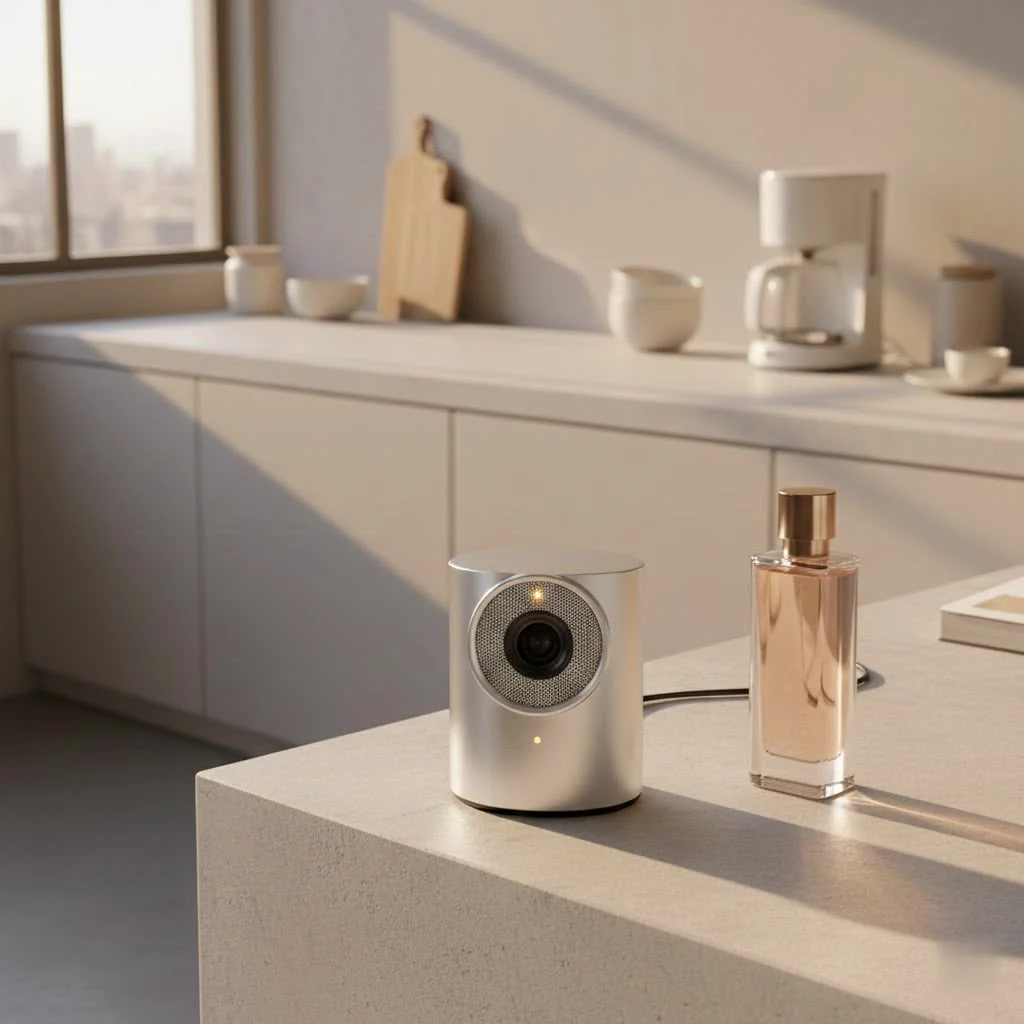
The Legacy of WebcamXP 5: A Deep Dive into Surveillance Software
When discussing “webcam XP5,” many experienced users first think of webcamXP 5, a well-known name in webcam and IP camera surveillance software for Windows.
What is WebcamXP 5 Software?
webcamXP 5 is a specialized software application designed to transform an ordinary computer into a powerful surveillance hub. It functions as a server, allowing users to connect various webcams and IP cameras, then manage and monitor their feeds remotely. This software was initially released to provide a comprehensive solution for personal and professional surveillance, enabling users to monitor their property from virtually any location with internet access.
Key Features and Capabilities
At its peak, webcamXP 5 offered a rich set of features that made it a popular choice:
- Remote Monitoring & Access: This software allowed users to connect to their camera feeds from other computers or mobile phones, offering flexibility in monitoring.
- Live Streaming & Broadcasting: Beyond just viewing, webcamXP 5 enabled live video broadcasting directly to a website, useful for public-facing cameras or sharing live feeds.
- Motion Detection & Alerts: A critical feature for surveillance, its motion detector could trigger actions like local recordings, FTP uploads, HTTP posts, or launching external applications.
- Advanced Customization: Users could enjoy local and remote pan & tilt control for compatible cameras. The overlay editor allowed for picture-in-picture, animated GIFs, and text, while an advanced user manager granted specific access levels.
- DVR Functionality: For continuous recording, webcamXP 5 supported Digital Video Recorder (DVR) capabilities, automatically managing storage by deleting older footage after a set period.
Compatibility and System Requirements
webcamXP 5, specifically version 5.9.8.7, was last updated in September 2016. It was designed to be compatible with Windows XP, Vista, 7, 8, and even Windows 10 (often through its successor, webcam 7). It supported various camera types, from standard USB webcams requiring WDM drivers to TV, analog, multi-input capture cards, and over 1500 models of network IP cameras. The software was engineered to run 24/7, using reasonable system resources.
The Evolution: From WebcamXP 5 to Modern Alternatives
|
Our Picks for the Best Webcam in 2026
As an Amazon Associate I earn from qualifying purchases.
|
||
| Num | Product | Action |
|---|---|---|
| 1 | Kemeiv 1080P Webcam Microphone and Physical Privacy Cover Computer Webcam, Noise-canceling Microphone, Automatic Light Compensation, Ultra-Wide-Angle Lens for Meetings/Courses/Streaming/Zoom/YouTube |

|
| 2 | EMEET C960 4K Webcam for PC, 4K UHD Sony Sensor, PDAF Auto Focus, Dual AI Noise-Cancelling Mics, Auto Light Correction, 73° FOV, Plug&Play Webcam w/Privacy Cover, Works w/Zoom/Teams/Skype/Google Meet |
|
| 3 | 1080P Full HD Webcam with Noise-Canceling Mic, Auto Light Correction, Privacy Cover and Wide Angle Lens, Plug & Play USB Camera for Laptop/Desktop/PC/Mac, Compatible with Zoom/Skype/Teams/Streaming |
|
| 4 | EMEET 1080P Webcam with Microphone, C960 Web Cam, 2 Mics, 90° FOV, USB Type-A & A-to-C Adapter, Plug&Play Computer Camera for Online Calling, Zoom/Teams/Facetime, Switch 2 Camera Support, 2025 Version |
|
| 5 | Lenovo HD 1080p Webcam (300 FHD)- Black w/ 95° Wide Angle, 360° Rotation Pan & Tilt, Dual Microphones, Privacy Shutter |
|
| 6 | NIVEOLI Webcam 1080P with Microphone & Privacy Cover for PC/Laptop, USB Computer Camera Plug & Play with Auto Light Correction for Video Calls, Live Streaming Gaming & Online Meetings |
|
| 7 | TRAUSI 1080P Webcam with Privacy Cover, Wide-Angle Lens, Noise Cancellation, Plug and Play USB Webcam for Laptop/PC/Desktop |
|
| 8 | AOC 4k Webcam for PC with Microphone, Computer Camera with Noise Cancellation, Privacy Cover, 99° FOV, Plug & Play USB Webcam for Streaming, Conferencing, Zoom, Skype, Facetime, Laptop, PC, Skype |
|
| 9 | Logitech Brio 101 Full HD 1080p Webcam for Meetings, Streaming, Desktop, Laptop, PC - Built-in Mic, Shutter, Works with Zoom, Microsoft Teams, Nintendo Switch 2’s New GameChat Mode, USB-A,-Black |
|
| 10 | Gohero Full HD 1080P Video Webcam, Noise Cancellation, Privacy Cover, Wide-Angle Lens, Auto Light Correction, Plug & Play USB Webcam for Laptop, Desktop, PC, Mac, Zoom, Skype Pro Series |
|
While webcamXP 5 was groundbreaking, technology has advanced. Users are now generally encouraged to consider upgrading to successors like webcam 7 or, more ideally, Netcam Studio. These newer platforms offer significant enhancements, including dedicated smartphone clients, improved audio support, better RTSP (Real Time Streaming Protocol) integration, advanced alert systems, comprehensive media libraries, and full remote control via SOAP or JSON APIs. This evolution makes older versions like webcamXP 5 somewhat dated for contemporary needs, though still functional for older systems or specific legacy setups.
The XPCAM N5: A Look at Modern Webcam Hardware (Addressing the “XP5” Confusion)
It’s easy to see how “webcam XP5” could be mistakenly associated with a hardware product, especially with a model like the “XPCAM N5” existing. This common phonetic overlap can lead to confusion, but it’s important to distinguish between software and a physical device.
What is the XPCAM N5 Webcam?
The XPCAM N5 is a practical and feature-rich Full HD 1080P webcam designed for everyday use. Unlike the software discussed above, this is a tangible device that connects directly to your computer. It’s built to enhance video communication for virtual meetings, content creation, or live-streaming. Its sleek black design is both aesthetically pleasing and functional, blending seamlessly into any modern workspace.
Standout Features for Today’s User
The XPCAM N5 focuses on delivering a streamlined, high-quality experience:
- Full HD Resolution for Crisp Visuals: Offering 1080P resolution, the XPCAM N5 ensures that video calls and recordings are sharp, clear, and professional.
- Privacy Shutter: Your Digital Guardian: The XPCAM N5 includes a physical privacy shutter. This simple yet effective feature allows you to cover the lens when not in use, providing immediate peace of mind and preventing accidental or unauthorized video capture.
- Plug-and-Play USB Connectivity: Ease of use is a significant advantage. Its USB connectivity ensures a true plug-and-play experience, meaning you can connect it and start using it almost instantly, without additional software or complex driver installations.
- Included Tripod for Versatility: For optimal framing and stability, the XPCAM N5 often comes with a tripod. This accessory offers flexibility in positioning your webcam, allowing for better angles and ensuring a steady shot.
Who is the XPCAM N5 For?
The XPCAM N5 is an excellent choice for a wide range of users, from remote professionals who rely on video conferencing to online educators, casual streamers, and content creators. Its combination of high-definition video, user-friendly features, and a focus on privacy makes it a versatile tool for anyone looking to upgrade their visual communication.
Navigating Your Webcam Choice: Software vs. Hardware Focus
Understanding the difference between software like webcamXP 5 and hardware like the XPCAM N5 is crucial for making informed decisions about your setup.
If your primary goal is to establish a surveillance system using existing cameras or an older computer, and you’re comfortable with a legacy software solution, then exploring webcamXP 5 (or its newer iterations like Netcam Studio) might be the path for you. This kind of software focus is ideal when you need advanced features like motion detection, scheduled recordings, and remote management over multiple camera feeds.
However, if you’re looking for a simple, high-quality solution for video calls, streaming, or casual recording on a modern system, a dedicated hardware webcam like the XPCAM N5 is likely your best bet. These devices are designed for immediate functionality, excellent image quality, and straightforward integration with popular communication platforms.
The key is to match your tools to your specific needs. Don’t try to fit a surveillance square into a video conferencing circle, and vice versa.
Expert Insights: Optimizing Your Webcam Setup
“Choosing the right webcam, whether it’s the versatile XPCAM N5 or a robust surveillance software, fundamentally comes down to understanding your primary goal,” shares Clara Henderson, Lead Hardware Analyst at Mundv.com. “For crystal-clear video calls and content creation, prioritize hardware with excellent optics and user-friendly features like a privacy shutter. For comprehensive monitoring, focus on software capabilities that offer reliable remote access and smart alerts.”
Here are some general tips to get the most out of any webcam setup:
- Lighting is Key: Always ensure you have adequate, soft, and even lighting on your face. Avoid harsh backlighting.
- Good Angles: Position your webcam at eye level or slightly above for the most flattering and natural perspective.
- Stable Connection: For streaming or video calls, a stable internet connection is paramount to prevent pixelation and dropped frames.
- Clean Your Lens: A simple wipe with a microfiber cloth can significantly improve image clarity.
- Check Audio: your audio! A clear microphone is just as important as good video.
Frequently Asked Questions about WebcamXP 5 and XPCAM N5
Q1: Is webcamXP 5 still relevant today?
While webcamXP 5 can still function on compatible older Windows systems, its relevance has diminished with the advent of newer, more advanced surveillance software like webcam 7 and Netcam Studio. These successors offer enhanced features, improved compatibility with modern operating systems, and better overall performance.
Q2: Can I use webcamXP 5 with any modern webcam?
webcamXP 5 is designed to work with cameras that have WDM drivers and a wide range of IP cameras. While some modern webcams might be compatible, its optimal performance and feature set are often geared towards older hardware and network camera standards. Newer webcams often work best with up-to-date software.
Q3: What are the main benefits of the XPCAM N5?
The XPCAM N5 offers Full HD 1080P video quality, a built-in privacy shutter for security, plug-and-play USB connectivity for easy setup, and often includes a tripod for versatile placement. These features make it ideal for high-quality video conferencing and content creation without complicated installations.
Q4: Does the XPCAM N5 require special drivers?
No, one of the key advantages of the XPCAM N5 is its plug-and-play USB connectivity. It typically does not require any additional software or special drivers, making it incredibly easy to set up and use right out of the box with most operating systems.
Q5: How can I improve my webcam’s video quality?
Improving webcam video quality involves several factors: ensure good lighting (soft, frontal light is best), use a clean lens, maintain a stable internet connection, and check your webcam’s software settings for resolution and frame rate adjustments. Investing in a quality hardware webcam like the XPCAM N5 can also significantly boost your video output.
Conclusion
The term “webcam XP5” serves as a perfect example of how crucial clarity is in technology. Whether you’re exploring the historical capabilities of webcamXP 5 surveillance software or seeking a reliable hardware solution like the XPCAM N5 for your daily video needs, understanding the distinctions empowers you to make the best choices. At Mundv.com, we are committed to providing you with the expert knowledge to navigate these complexities. By arming yourself with the right information, you can confidently select, install, and optimize your webcam setup, ensuring secure monitoring, crystal-clear communication, and seamless content creation every time.
Frequently Asked Questions
What is the primary difference between webcamXP 5 and XPCAM N5?
The primary difference is that webcamXP 5 is a surveillance software application for Windows, while the XPCAM N5 is a physical Full HD 1080P webcam hardware device. WebcamXP 5 transforms a computer into a monitoring hub, whereas the XPCAM N5 is used for video calls and streaming.
Is webcamXP 5 still a viable option for surveillance systems?
While webcamXP 5 can still function on older Windows systems, its relevance has decreased. Modern alternatives like Netcam Studio offer enhanced features, improved compatibility with current operating systems, and better overall performance for surveillance needs.
What are the key features that make the XPCAM N5 a good choice?
The XPCAM N5 offers several key features, including Full HD 1080P video quality for crisp visuals, a built-in physical privacy shutter for security, and plug-and-play USB connectivity for easy setup. It often includes a tripod for versatile placement, making it ideal for various users.
Does the XPCAM N5 require complex installation or drivers?
No, the XPCAM N5 is designed for simplicity with plug-and-play USB connectivity. It typically does not require any additional software or special drivers, allowing users to connect it to their computer and start using it almost instantly with most operating systems.
How can I enhance the video quality of my webcam setup?
To enhance webcam video quality, ensure you have adequate, soft, and even lighting on your face, position the webcam at eye level, and maintain a stable internet connection. Regularly cleaning your lens with a microfiber cloth and checking software settings for resolution can also significantly improve output.
Get our weekly buyer guide
Practical specs, not advice. Unsubscribe anytime.
I’m so glad I read this before buying! I almost bought the wrong thing thinking ‘webcam XP5’ was just one product. The distinction between the surveillance software and the XPCAM N5 hardware is crucial. I was looking for a modern webcam for video calls, and the features like the privacy shutter on the N5 are exactly what I wanted. Great info.
Finally got around to upgrading my webcam for all the video calls I’m on these days. The XPCAM N5 is fantastic! The image quality is crisp and it just works right out of the box. No complicated drivers or anything. It’s exactly what I needed for professional meetings and catching up with family.
I was a bit confused at first when I saw ‘webcam XP5’ because I was actually looking for surveillance software. I remember using webcamXP 5 years ago for a home security setup, and it was pretty robust for its time with the motion detection. This post clarified that there are two different things, which was helpful. The software was good back then, but I’m not sure if I’d go back to a legacy Windows app now.
I’ve been looking for a good streaming camera and the XPCAM N5 really caught my eye. The Full HD 1080P is super clear for my Twitch streams, and the plug-and-play USB connectivity made setup a breeze. I appreciate the privacy shutter too, gives me peace of mind when I’m not using it. Definitely a solid upgrade from my old built-in laptop camera.