A Full HD webcam, also known as a 1080p webcam, captures video at 1920×1080 pixels, delivering sharp, clear, and vibrant images significantly superior to most built-in laptop cameras. This resolution provides an optimal balance between high visual clarity and efficient performance, making it an ideal choice for professionals, streamers, and casual users seeking a reliable upgrade for video calls, content creation, and virtual meetings without excessive demands on computer processing or internet bandwidth.
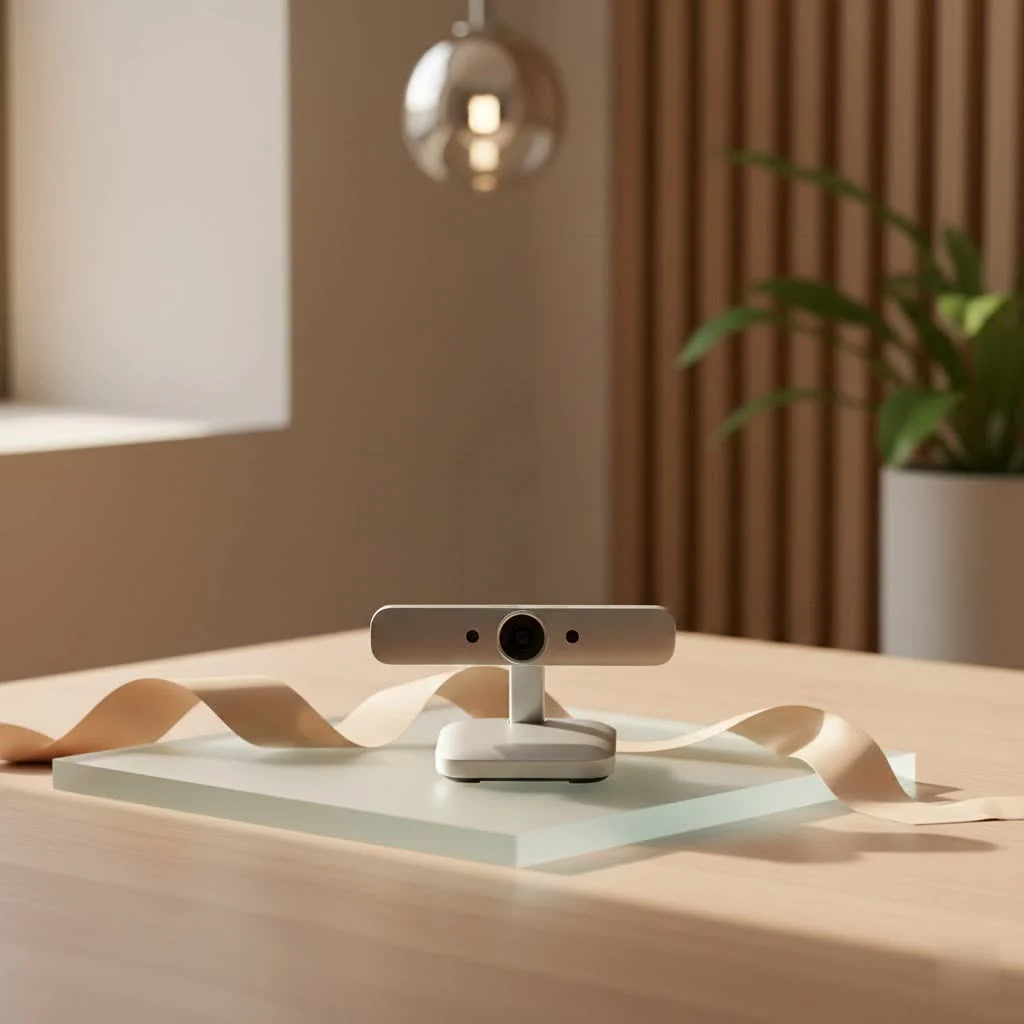
Here at Mundv, with over 15 years steeped in webcams and recording gear, we’ve seen technology evolve. We understand that navigating the many options can feel overwhelming. That’s why we’re diving deep into everything you need to know about Full HD webcams, helping you make an informed decision that elevates your digital interactions. For explore our webcam reviews reviews on this site.
Why Choose a Full HD Webcam in Today’s Digital World?
So, why should a Full HD webcam be on your radar? It’s all about getting a significant upgrade without unnecessary complexity or expense.
The Clarity Advantage: What 1080p Really Means
When you see “1080p” or “Full HD,” it means your webcam is capturing 1,920 pixels horizontally by 1,080 pixels vertically. Think of it as painting a picture with many more tiny dots, resulting in a much more detailed and lifelike image than lower resolutions like 720p. For video calls, streaming, or creating content, this translates into you looking sharper, your expressions clearer, and your background (if you choose to show it) appearing much more professional. It ensures that every detail, from your facial expressions to the nuances of your presentation, comes through with exceptional visual fidelity.
Balancing Quality and Performance
One of the greatest strengths of a Full HD webcam is its ability to deliver excellent video quality without being overly demanding on your computer’s processing power or your internet bandwidth. While higher resolutions like 4K offer even more pixels, they often require a robust internet connection and a powerful computer to perform smoothly. A 1080p webcam, however, strikes a fantastic balance, providing a significant visual upgrade that most modern setups can handle with ease. This means fewer dropped frames, less lag, and a consistently smooth experience, whether you’re chatting with family or delivering an important presentation.
Versatility for Every Need: From Calls to Content
A Full HD webcam is incredibly versatile, making it an ideal choice for a wide range of activities. If you’re a professional navigating the world of remote work, a 1080p webcam ensures you look polished and professional in every virtual meeting, from Zoom to Microsoft Teams. For aspiring streamers or content creators, it provides a solid foundation for high-quality broadcasts and recordings without breaking the bank. Even for casual video chats with friends and family, the improved clarity makes for a more engaging and personal connection. It’s truly a sweet spot for quality-conscious users who want reliability across various applications.
Key Features to Look for in Your Full HD Webcam
Choosing the right Full HD webcam goes beyond just resolution. Several other features contribute to the overall experience. Let’s break down what truly matters.
Frame Rate (FPS): The Smoothness Factor
|
Our Picks for the Best Webcam in 2026
As an Amazon Associate I earn from qualifying purchases.
|
||
| Num | Product | Action |
|---|---|---|
| 1 | 1080P Full HD Webcam with Noise-Canceling Mic, Auto Light Correction, Privacy Cover and Wide Angle Lens, Plug & Play USB Camera for Laptop/Desktop/PC/Mac, Compatible with Zoom/Skype/Teams/Streaming |

|
| 2 | Gohero Full HD 1080P Video Webcam, Noise Cancellation, Privacy Cover, Wide-Angle Lens, Auto Light Correction, Plug & Play USB Webcam for Laptop, Desktop, PC, Mac, Zoom, Skype Pro Series |
|
| 3 | Kemeiv 1080P Webcam Microphone and Physical Privacy Cover Computer Webcam, Noise-canceling Microphone, Automatic Light Compensation, Ultra-Wide-Angle Lens for Meetings/Courses/Streaming/Zoom/YouTube |
|
| 4 | Logitech Brio 101 Full HD 1080p Webcam for Meetings, Streaming, Desktop, Laptop, PC - Built-in Mic, Shutter, Works with Zoom, Microsoft Teams, Nintendo Switch 2’s New GameChat Mode, USB-A,-Black |
|
| 5 | Lenovo HD 1080p Webcam (300 FHD)- Black w/ 95° Wide Angle, 360° Rotation Pan & Tilt, Dual Microphones, Privacy Shutter |
|
| 6 | NIVEOLI Webcam 1080P with Microphone & Privacy Cover for PC/Laptop, USB Computer Camera Plug & Play with Auto Light Correction for Video Calls, Live Streaming Gaming & Online Meetings |
|
| 7 | EMEET C960 4K Webcam for PC, 4K UHD Sony Sensor, PDAF Auto Focus, Dual AI Noise-Cancelling Mics, Auto Light Correction, 73° FOV, Plug&Play Webcam w/Privacy Cover, Works w/Zoom/Teams/Skype/Google Meet |
|
| 8 | EMEET 1080P Webcam with Microphone, C960 Web Cam, 2 Mics, 90° FOV, USB Type-A & A-to-C Adapter, Plug&Play Computer Camera for Online Calling, Zoom/Teams/Facetime, Switch 2 Camera Support, 2025 Version |
|
| 9 | AOC 4k Webcam for PC with Microphone, Computer Camera with Noise Cancellation, Privacy Cover, 99° FOV, Plug & Play USB Webcam for Streaming, Conferencing, Zoom, Skype, Facetime, Laptop, PC, Skype |
|
| 10 | TRAUSI 1080P Webcam with Privacy Cover, Wide-Angle Lens, Noise Cancellation, Plug and Play USB Webcam for Laptop/PC/Desktop |
|
Frame rate, measured in frames per second (FPS), dictates how smooth your video appears. While 30 FPS offers a perfectly natural and smooth picture for most video calls, a webcam capable of 60 FPS provides an even more fluid and lifelike motion. This is particularly beneficial for fast-paced activities like gaming streams, fitness classes, or any scenario where quick movements are involved. If you’re serious about creating dynamic content, a 1080p 60FPS webcam is a fantastic choice, ensuring your audience sees every action without a hitch.
Lens Quality: Glass vs. Plastic
Just like with any camera, the lens is crucial. Webcams typically come with either plastic or glass lenses. While plastic lenses are more affordable, they can result in grainier images and struggle in low-light conditions. Glass lenses, on the other hand, offer superior image quality, sharper focus, and significantly better performance in various lighting environments. For anyone seeking the clearest, cleanest visuals from their Full HD webcam, investing in a model with a glass lens is a wise decision.
Autofocus and Auto-Light Correction: Smart Visuals
These features are game-changers for convenience and image quality. Autofocus automatically keeps you sharp, even if you move around your frame, ensuring you’re always in clear view. Auto-light correction intelligently adjusts your webcam’s settings to compensate for poor lighting, making you look well-lit even in dim rooms or challenging backlight situations. These “smart” features take the guesswork out of getting a great shot, allowing you to focus on your conversation or content. As tech expert Dr. Anya Sharma from Mundv often says, “Good lighting and smart autofocus are the unsung heroes of professional video presence. They make a bigger difference than most people realize.”
Field of View (FOV): Framing Your Shot
The field of view (FOV) determines how much of the scene your webcam captures. A wider FOV (e.g., 78-90 degrees) is excellent for including multiple people in a meeting or showcasing more of your background, which can be great for content creators or virtual team calls. A narrower FOV is better for one-on-one calls, keeping the focus tightly on you. Consider your primary use case: do you need to fit a group, or is it mostly just you? Many modern Full HD webcams offer adjustable FOV settings, giving you greater flexibility.
Integrated Microphone: Hear and Be Heard
Most webcams come with built-in microphones, which are incredibly convenient. However, the quality can vary. For the best audio experience, look for Full HD webcams that feature stereo microphones and, ideally, noise-cancellation technology. This helps filter out background distractions, ensuring your voice comes through crystal clear during calls and recordings. While a dedicated external microphone will always offer superior audio, a good integrated mic in your Full HD webcam is perfectly adequate for most users.
Software and Customization: Beyond the Hardware
The software that accompanies your Full HD webcam can significantly enhance its capabilities. Many manufacturers offer companion applications that allow you to fine-tune settings like brightness, contrast, white balance, and even apply digital zoom or pan. This level of customization can help you achieve the perfect look, tailored to your specific environment and preferences. Even if your webcam has top-tier hardware, robust and intuitive software can unlock its full potential.
Practical Considerations: Privacy and Mounting
Practicality matters. A physical privacy shutter, a small cover that slides over your lens, offers peace of mind, ensuring your camera isn’t accidentally active when you don’t want it to be. For mounting, most Full HD webcams feature a versatile clamp that can securely attach to your monitor or laptop screen. Some also include a tripod mount, offering even more flexibility for placement, allowing you to achieve the perfect angle and eye-level connection.
Full HD vs. 4K Webcams: Finding Your Perfect Match
The question often arises: “Should I go for Full HD or jump to 4K?” While 4K webcams are gaining popularity, understanding the fundamental differences will help you decide if the higher resolution is truly necessary for your needs.
Understanding the Resolution Difference
As we know, Full HD (1080p) delivers a clear picture at 1920×1080 pixels. A 4K webcam, on the other hand, boasts a resolution of 3840×2160 pixels—that’s four times the number of pixels as 1080p! This means a 4K camera can capture an astonishing level of detail, making everything appear exceptionally sharp and lifelike. The raw image quality from a 4K sensor is undoubtedly superior.
Performance Demands: Bandwidth and Hardware
Here’s where the rubber meets the road. All those extra pixels in 4K video demand significantly more processing power from your computer’s CPU and GPU, and a much faster internet connection. For smooth 4K streaming, you might need a minimum bandwidth of around 25 Mbps, whereas a Full HD webcam typically only requires about 5 Mbps. If your hardware or internet isn’t up to snuff, you could experience lag, dropped frames, or reduced overall system performance with a 4K webcam. Full HD webcams are much more forgiving, performing reliably on a broader range of systems and network conditions.
Is 4K Always Necessary?
For most users, including professionals, streamers, and content creators, a Full HD webcam offers more than sufficient quality. The benefits of 4K, while impressive, often become truly apparent only on very large, high-resolution displays or when you need to digitally zoom into your video without any loss of quality. For general video conferencing, a 1080p stream is perfectly adequate and will be scaled down by most platforms anyway to save bandwidth. Good lighting can dramatically improve the perceived quality of a Full HD image, often narrowing the gap between it and a 4K feed. Unless you’re a professional content creator with very specific needs for extreme detail or extensive post-production flexibility, a Full HD webcam is generally the more practical and cost-effective choice.
Mundv’s Pro Tips for Optimizing Your Full HD Webcam Experience
- Light it Up: Good lighting is paramount. Position yourself facing a window or use a dedicated ring light to illuminate your face evenly. Avoid harsh backlighting.
- Clean Your Lens: It sounds simple, but a dusty lens can significantly degrade image quality. Gently wipe it with a microfiber cloth regularly.
- Update Drivers: Always ensure your webcam drivers and any accompanying software are up to date for optimal performance and access to the latest features.
- Test Your Setup: Before an important call or stream, always do a quick test. Check your video and audio quality to catch any issues beforehand.
- Background Matters: A clean, uncluttered background (or a virtual background) keeps the focus on you and projects a professional image.
Frequently Asked Questions About Full HD Webcams
Q: Is a 1080p webcam good enough for streaming?
A: Yes, a 1080p webcam is absolutely good enough for streaming and is the standard resolution for many successful streamers. While 4K offers higher detail, 1080p provides a fantastic balance of quality and performance, ensuring smooth, clear broadcasts that look great on most platforms and viewers’ screens.
Q: What’s a good frame rate for a Full HD webcam?
A: For most users, 30 frames per second (FPS) is perfectly adequate for smooth Full HD video. However, if you’re involved in gaming, fast-paced content creation, or simply want the most fluid motion possible, a 1080p webcam with 60 FPS is ideal.
Q: Do I need a special internet speed for a 1080p webcam?
A: For reliable Full HD video calls and streaming, a stable internet connection with at least 5 Mbps upload speed is generally recommended. While this is a modest requirement for most broadband connections, a faster connection will always provide a more consistent and higher-quality experience.
Q: Can I use a Full HD webcam with any computer?
A: Most Full HD webcams are plug-and-play devices compatible with Windows, macOS, and sometimes Chrome OS, connecting via a USB port. Always check the manufacturer’s specifications for system requirements to ensure full compatibility, especially concerning operating system versions.
Q: How important is a privacy shutter?
A: A physical privacy shutter is a highly recommended feature for any webcam user. It provides a simple, foolproof way to ensure your camera lens is blocked when not in use, offering peace of mind against accidental activation or potential security vulnerabilities.
improve your Visual Presence with Full HD
Choosing a Full HD webcam is an investment in your digital presence. It’s about more than just technology; it’s about clear communication, professional presentation, and confident self-expression in a world that increasingly relies on video. By understanding the key features and benefits, and considering your specific needs, you can select a Full HD webcam that empowers you to connect, create, and collaborate with unparalleled clarity. Step up your game and let your Full HD webcam be the window to your brightest digital self.
Frequently Asked Questions
Is a 1080p webcam good enough for streaming?
Yes, a 1080p webcam is absolutely good enough for streaming and is the standard resolution for many successful streamers. While 4K offers higher detail, 1080p provides a fantastic balance of quality and performance, ensuring smooth, clear broadcasts that look great on most platforms and viewers' screens.
What is a good frame rate for a Full HD webcam?
For most users, 30 frames per second (FPS) is perfectly adequate for smooth Full HD video. However, if you're involved in gaming or fast-paced content creation, a 1080p webcam with 60 FPS is ideal for the most fluid motion possible.
Do I need a special internet speed for a 1080p webcam?
For reliable Full HD video calls and streaming, a stable internet connection with at least 5 Mbps upload speed is generally recommended. While this is a modest requirement for most broadband connections, a faster connection will always provide a more consistent and higher-quality experience.
Can I use a Full HD webcam with any computer?
Most Full HD webcams are plug-and-play devices compatible with Windows, macOS, and sometimes Chrome OS, connecting via a USB port. Always check the manufacturer's specifications for system requirements to ensure full compatibility, especially concerning operating system versions.
How important is a physical privacy shutter for a webcam?
A physical privacy shutter is a highly recommended feature for any webcam user. It provides a simple, foolproof way to ensure your camera lens is blocked when not in use, offering peace of mind against accidental activation or potential security vulnerabilities.
Get our weekly buyer guide
Practical specs, not advice. Unsubscribe anytime.

This guide was super helpful in choosing my new 1080p webcam. I was specifically looking for something that wouldn’t hog my internet bandwidth, and the recommendations here really focused on that balance. The image quality is great for streaming, and I haven’t noticed any lag. My viewers have even commented on the improved clarity.
I got one of the mid-range Full HD webcams mentioned for content creation, and while the video quality is good, I found the built-in microphone to be a bit lacking. I ended up having to buy a separate mic, which added to the overall cost. For basic video calls it’s fine, but for anything more serious, plan on an external audio solution.
As a casual user who just needed a reliable upgrade for family video chats, a Full HD webcam was perfect. My old camera made me look so blurry, but now my family says I look crystal clear. It was easy to set up and didn’t require any complicated software. Very happy with this purchase!
I finally upgraded from my old laptop camera to a Full HD webcam, and the difference is night and day! My video calls for work are so much clearer now. I used to look so pixelated, but now I feel much more professional during virtual meetings. Definitely worth the investment for anyone serious about their online presence.